Setting up personal VPN using AmneziaVPN
This guide provides step-by-step instructions on how to set up your personal VPN using AmneziaVPN, a user-friendly software application.
Setting up Personal VPN using AmneziaVPN
AmnesiaVPN is an easy-to-use software, that allows you to set up your personal VPN in minutes. Here is an instruction on how to set up AmneziaVPN:
STEP 1
Order a VDS with Ubuntu 20.04 or Debian 10. You can do it easily by following THIS link. You can also reinstall OS on your existing one (How to reinstall OS).
STEP 2
Install the official AmnesiaVPN app.
STEP 3
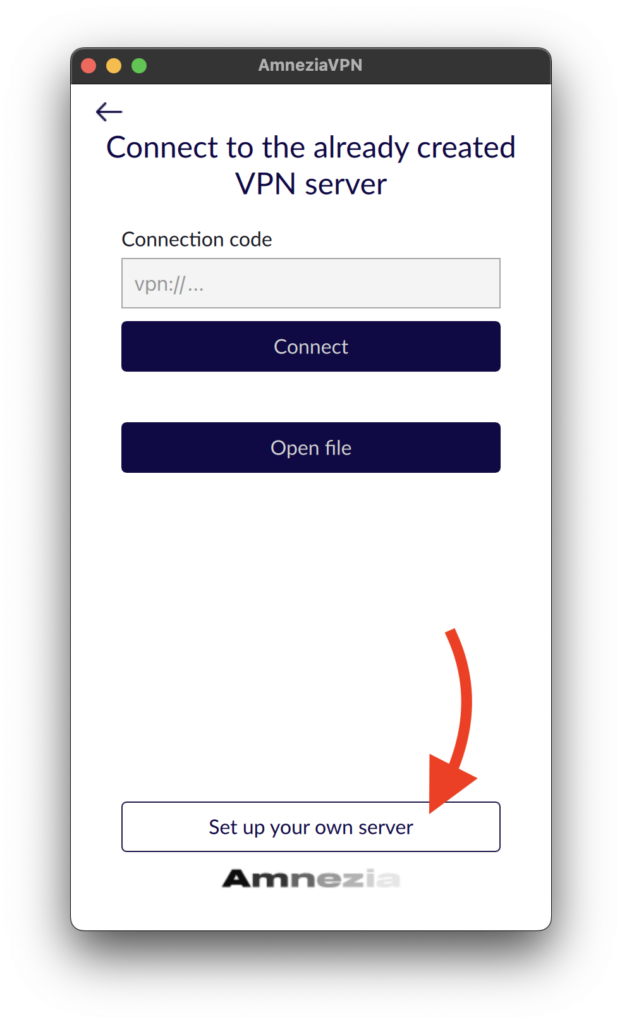
Open AmneziaVPN and click “Set up your own server”
STEP 4
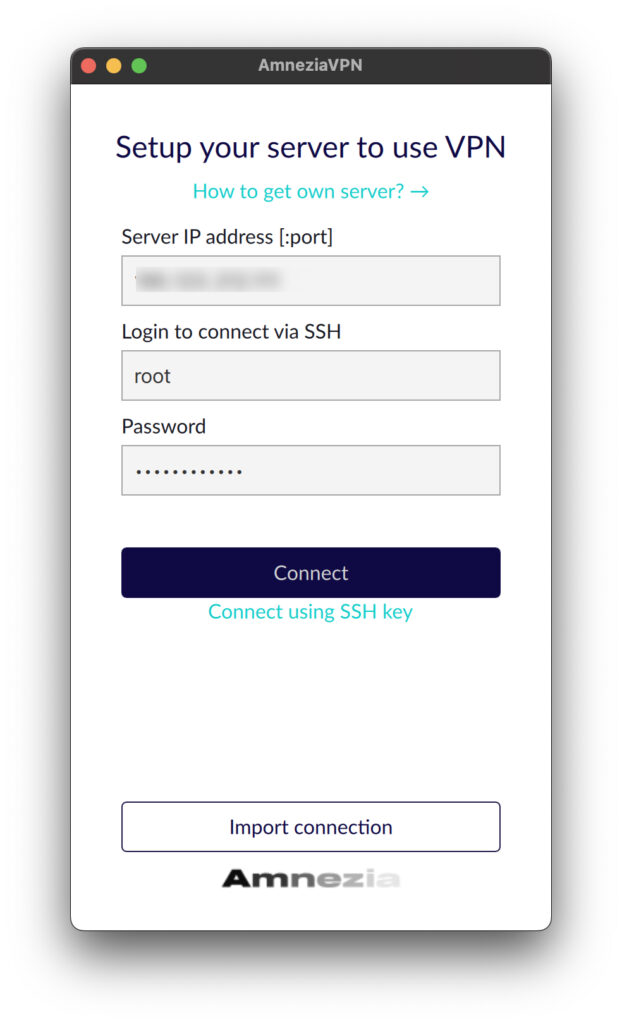
Enter the IP address of your VDS, along with your login and password. (How can I view information about my service)
STEP 5
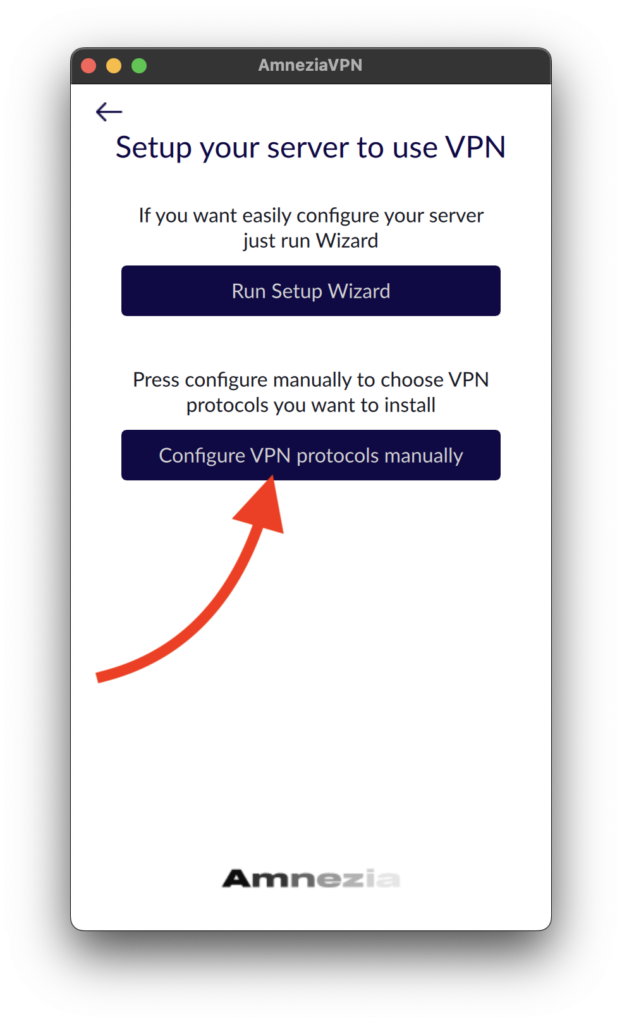
Click the “Configure VPN protocols manually” button.
STEP 6
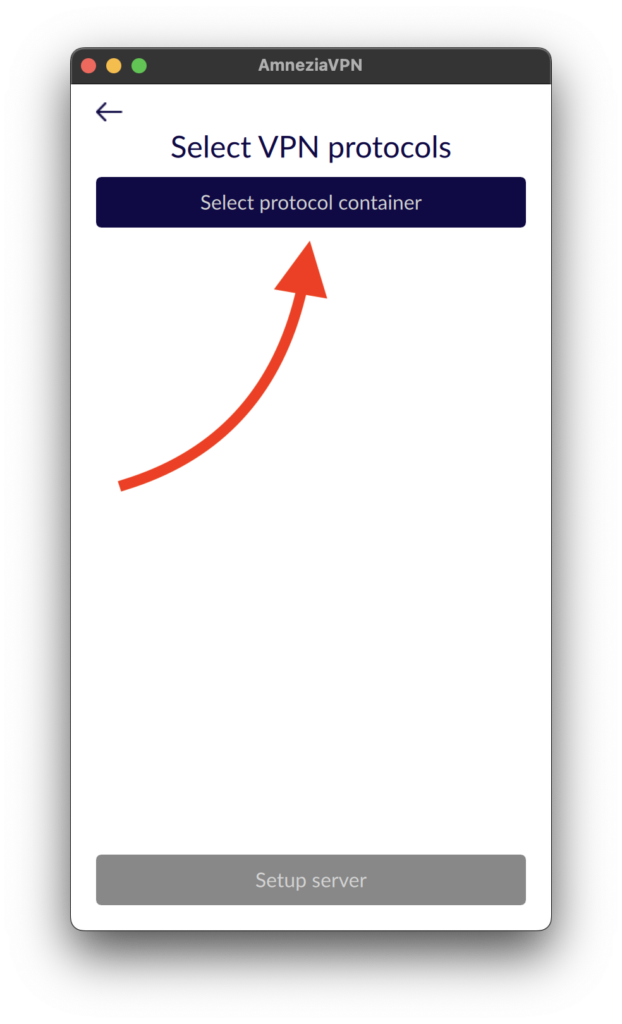
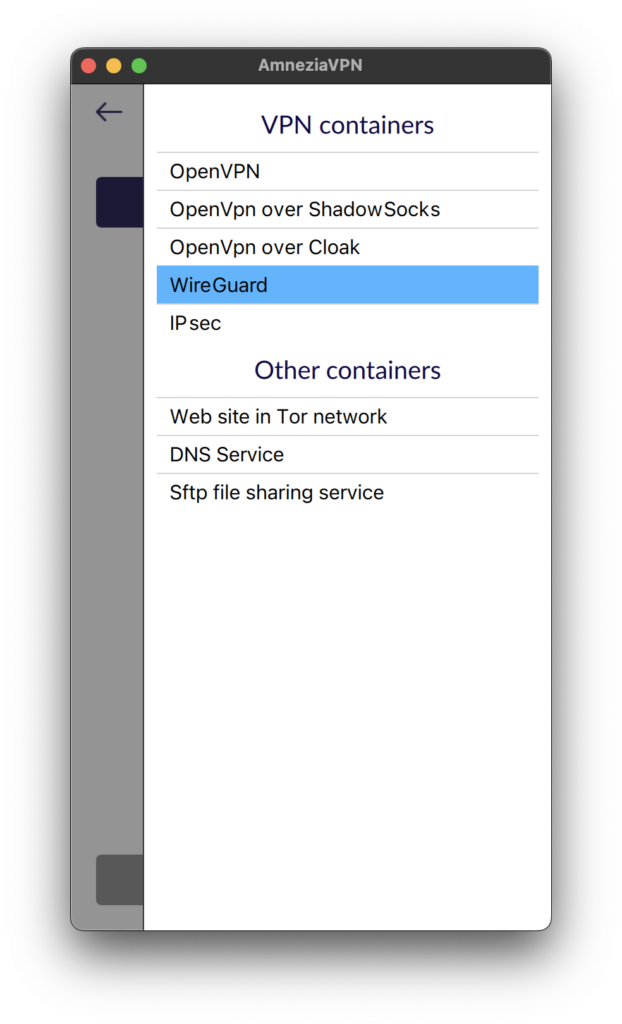
Click “Select protocol container”.
STEP 7
Then select a VPN container. In this example, it will be WireGuard.
STEP 8
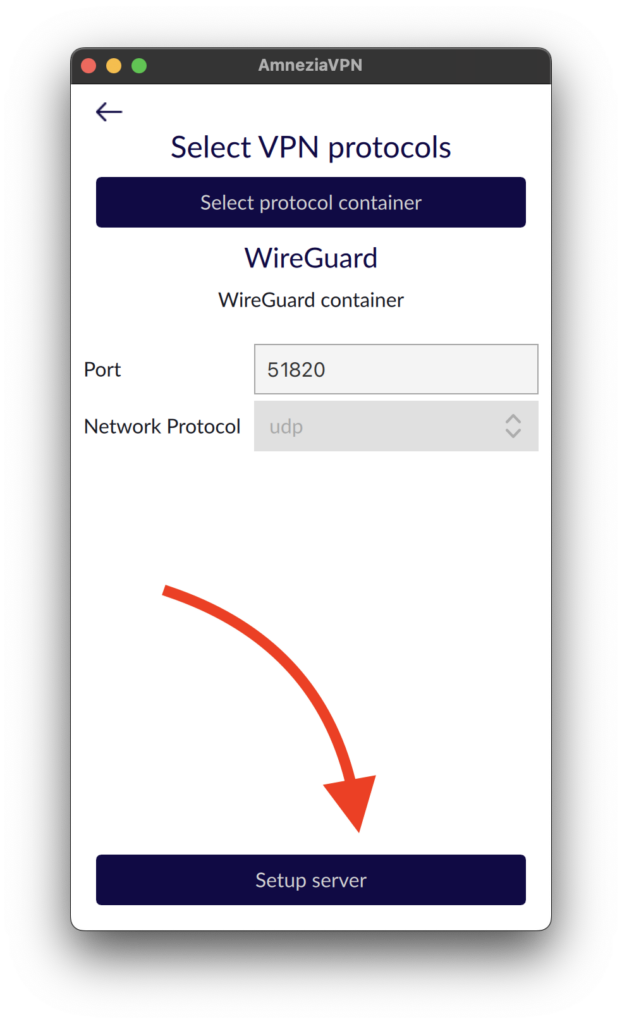
Click “Setup server”.
STEP 9
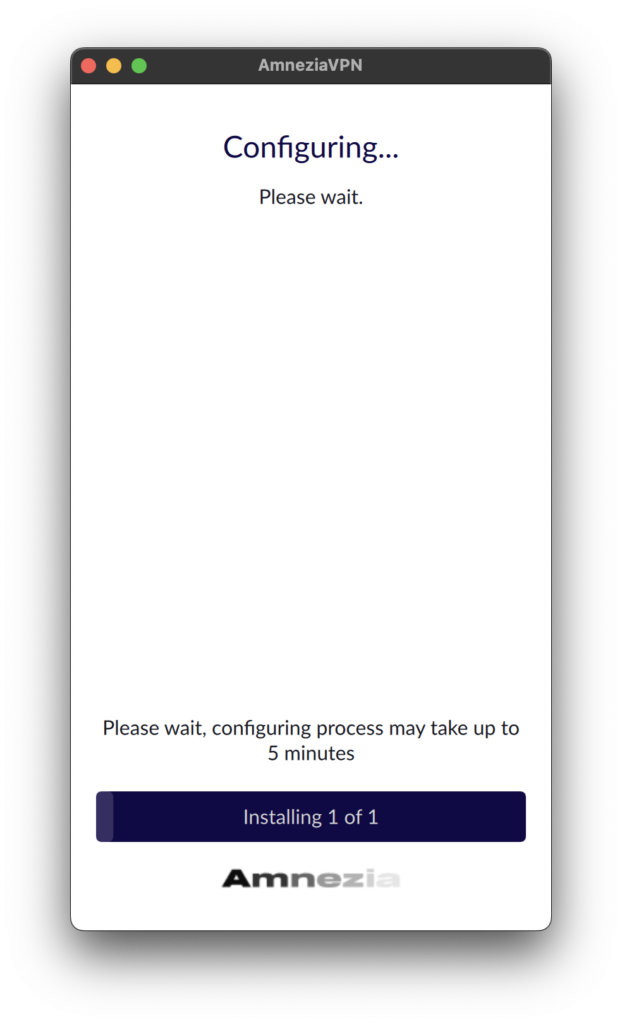
Wait for the installation to complete. After installation is ready, you can use your VPN.
Related Articles
Browse more articles in these categories.