Knowledge Base
Launching the VNC Console
This guide outlines the steps to launch the VNC console for your selected service.
Yaro
vnc vmmanager remote access console system administration
Launching the VNC Console
STEP 1: Select a service and go to VMmanager.
STEP 2: Find ••• on the right side of the interface.
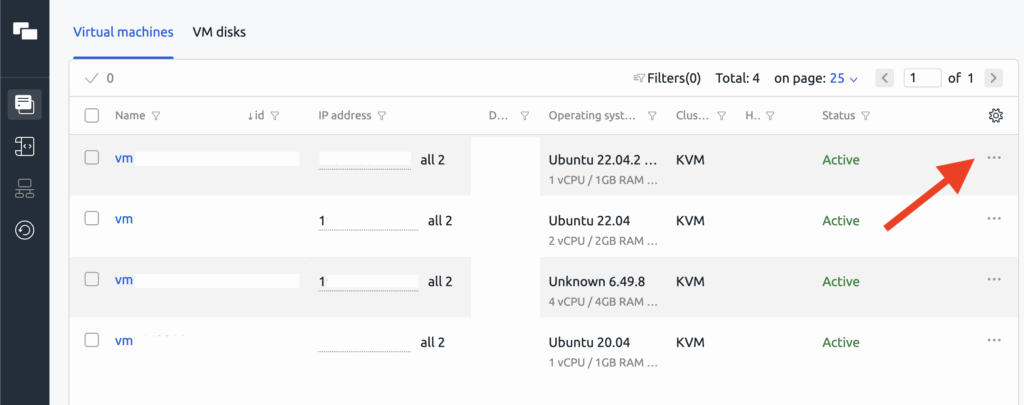
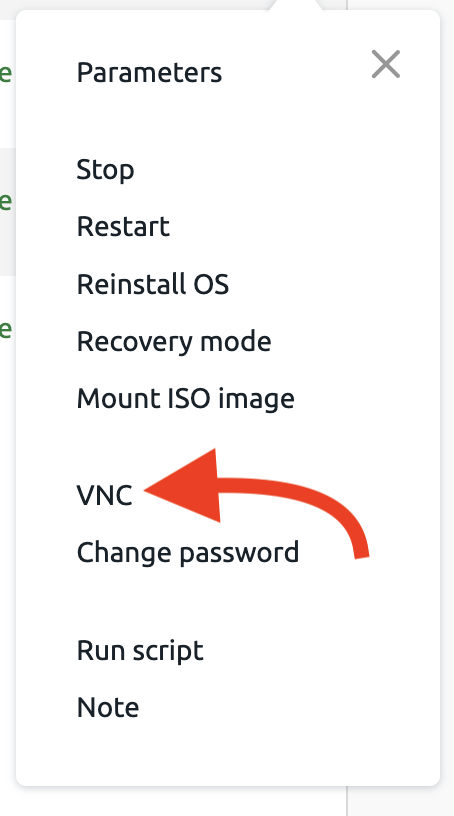
STEP 3: Click on it to see the drop down menu.

STEP 4: Find VNC and click it.
Related Articles
Browse more articles in these categories.