Knowledge Base
How to send a password with special symbols in BillManager
Learn how to properly send a password with special symbols in BillManager by using the code block feature to prevent formatting issues.
Yaro
billmanager passwords special characters text formatting support security
Sending Passwords with Special Symbols in BillManager
Special symbols in the ticket form can be used to format the text; however, when sending passwords, some symbols may disappear due to formatting issues. To prevent this, use the code block feature in the built-in text editor.
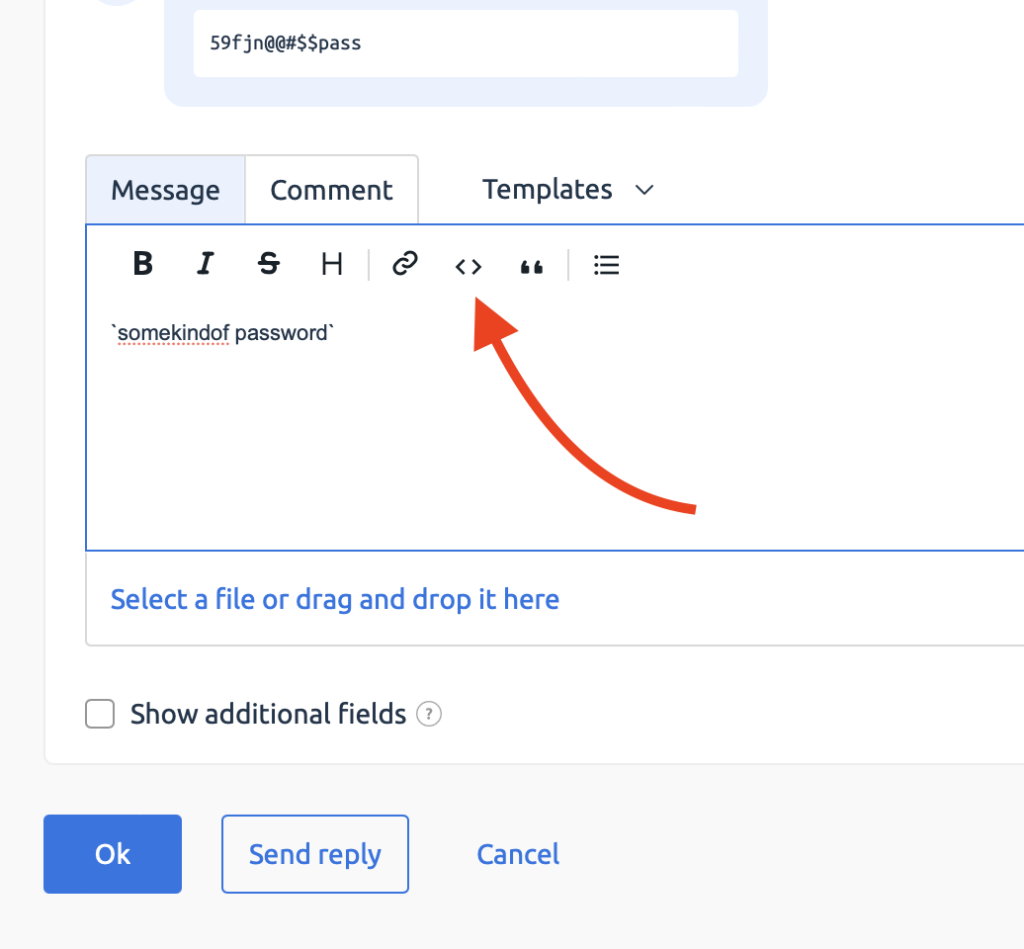
Steps to Use Code Block:
- Open the ticket form in BillManager.
- Locate the built-in text editor.
- Select the option to insert a code block.
- Enter your password within the code block to retain the special symbols.
- Submit the form.
Related Articles
Browse more articles in these categories.