Knowledge Base
How to pay for a service using "Account balance"
Learn how to use your account balance to pay for services like ordering or renewing items.
Yaro
account balance payment methods ordering services billing itldc
How to Pay for a Service Using Account Balance
STEP 1: To pay from “account balance”, firstly you need to refill your balance.
STEP 2: Order a service and go to the shopping cart. Click the pay button.
NOTE: This example shows how to order a service; however, you can apply this instruction to ordering new IPs, renewing services, etc.
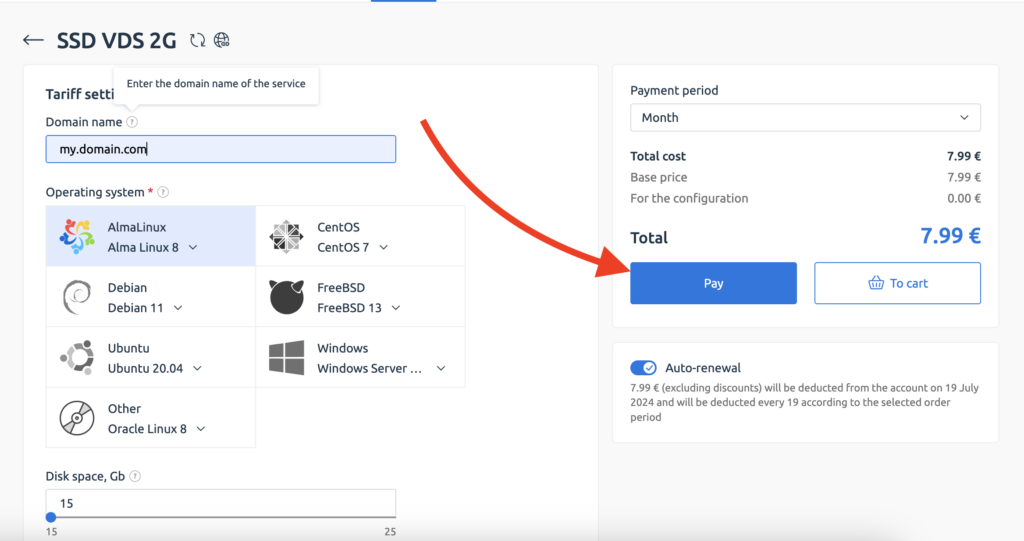
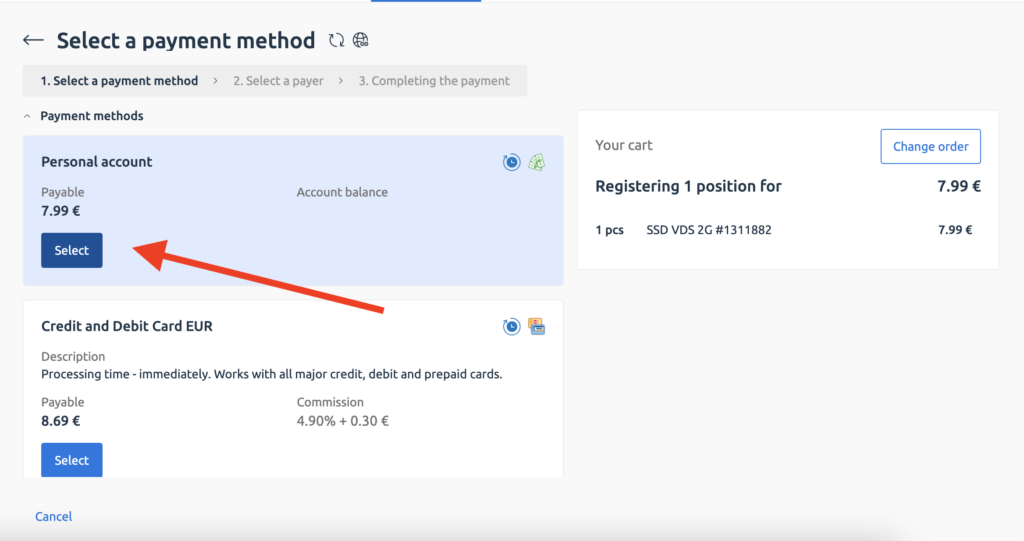
STEP 3: Select payment method - Personal account and click on the Select button.
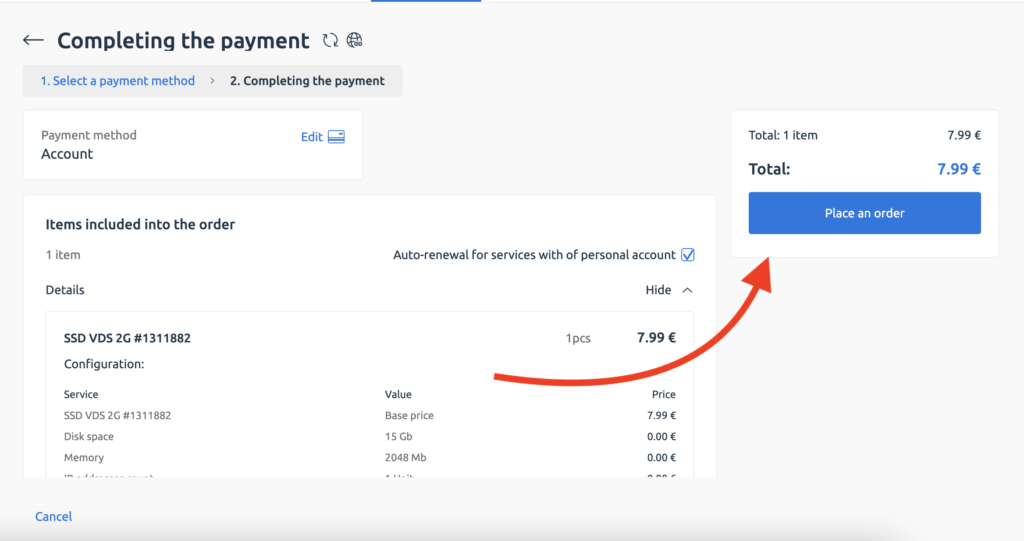
STEP 4: Click on the Place an order button.
Related Articles
Browse more articles in these categories.