How to mount ISO using IPMI.
This guide will walk you through the process of mounting an ISO file using IPMI, ensuring a smooth and efficient operation for your server management.
How to Mount ISO Using IPMI
STEP 1: Firstly, you need to get into IPMI.
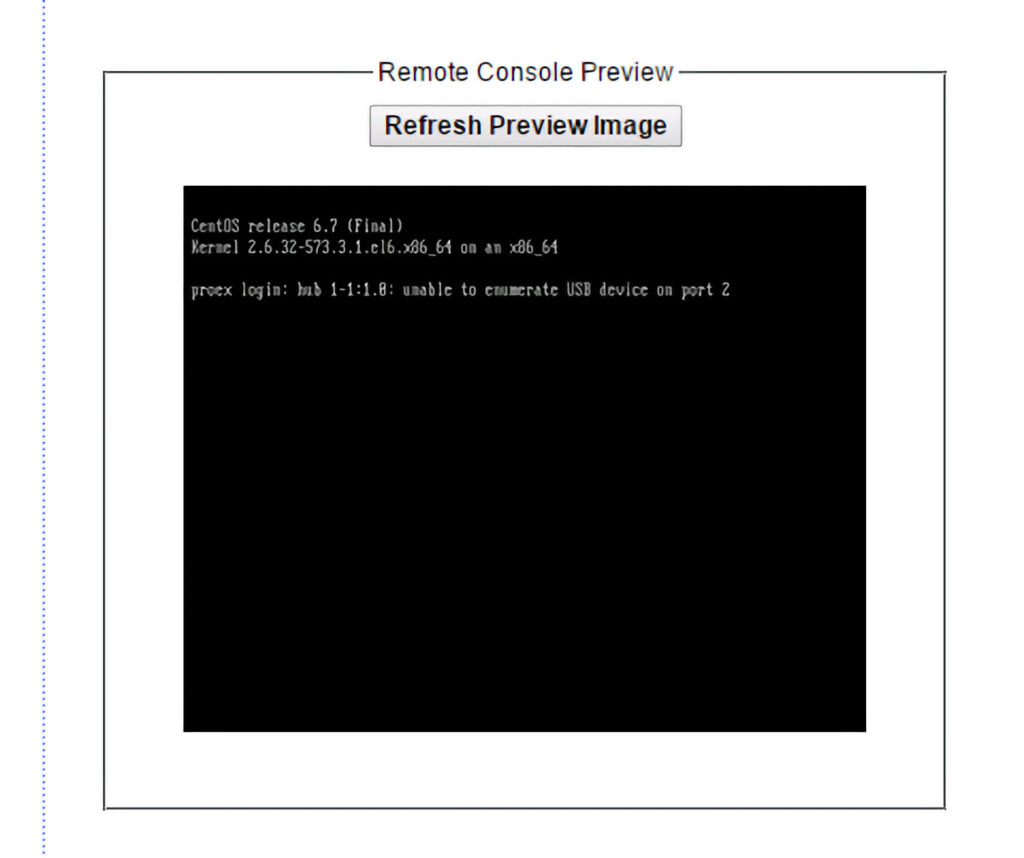
STEP 2: Click on the screen image on the main page.
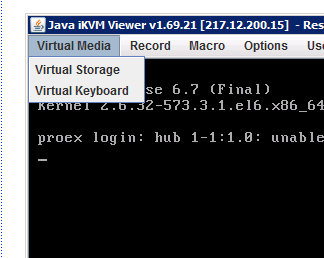
STEP 3: The Java applet will launch as a separate window. In the “Virtual Media” menu, select the “Virtual Storage” item.
NOTE: You need to have Java installed on your computer.
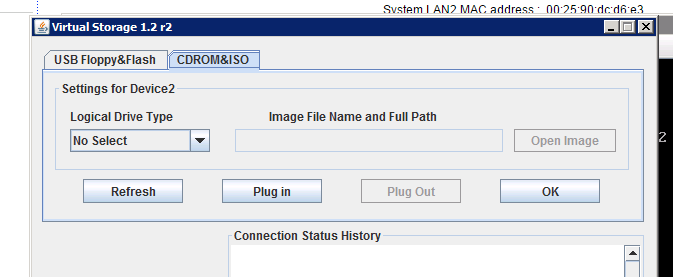
STEP 4: Go to the “CDROM&ISO” tab.
STEP 5: In the drop-down list “Logical Drive Type”, select “ISO File”.
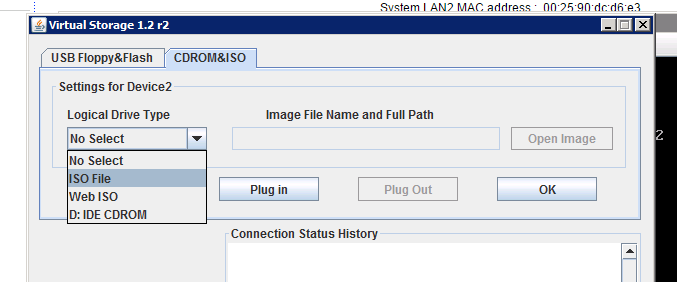
STEP 6: Now click on the “Open Image” button and select the disk image you want to mount.
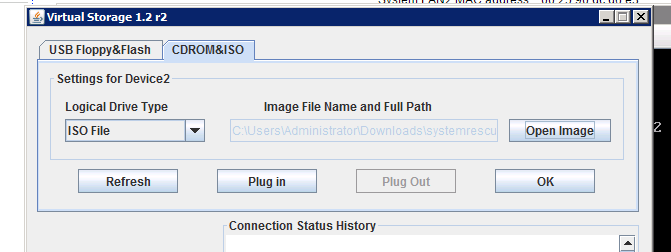
STEP 7: Now press the “Plug in” button to mount the selected image.
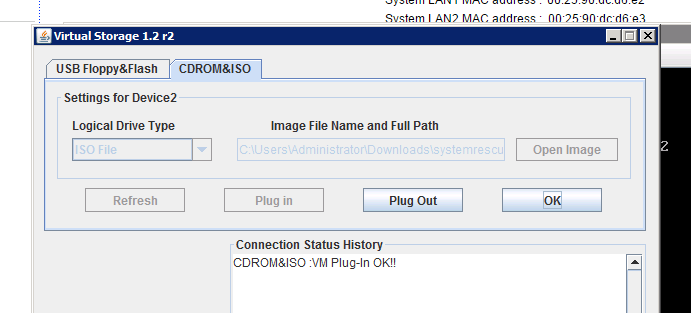
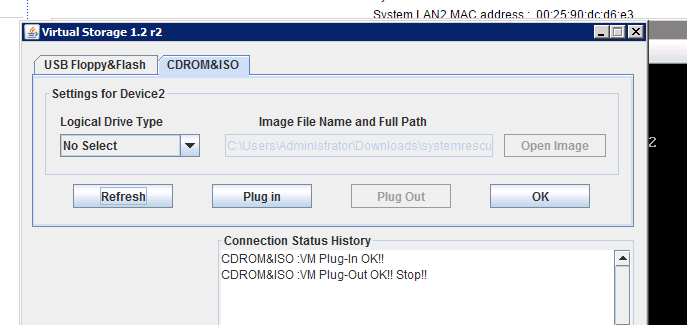
STEP 8: To unmount the image, you will need to click on the “Plug Out”.
Related Articles
Browse more articles in these categories.