How to install WireGuard (Ubuntu/Debian)
This guide provides step-by-step instructions for installing WireGuard on Ubuntu/Debian using Docker, allowing for secure remote access to your network.
STEP 1
Connect to your VDS with SSH. You can use the terminal on MacOS or Linux, or PuTTY in Windows.
STEP 2
Before installing any software, it is always a good idea to update your system. Use the following command to update your system:
apt update && apt upgrade
STEP 3
Next is the installation of Docker:
curl -sSL https://get.docker.com | sh
STEP 4
Now let’s generate a password hash. To do that, enter the following command:
docker run -it ghcr.io/wg-easy/wg-easy wgpw YOUR_PASSWORD
The output you’ll get will look like this:
PASSWORD_HASH='$2b$12$coPqCsPtcFO.Ab99xylBNOW4.Iu7OOA2/ZIboHN6/oyxca3MWo7fW'
STEP 5
The following command will install WireGuard. Replace yourIP with the IP address of your server, and yourHash with the password hash:
docker run -d --name=wg-easy -e WG_HOST="yourIP" -e PASSWORD_HASH="yourHash" -v ~/.wg-easy:/etc/wireguard -p 51820:51820/udp -p 51821:51821/tcp --cap-add=NET_ADMIN --cap-add=SYS_MODULE --sysctl="net.ipv4.conf.all.src_valid_mark=1" --sysctl="net.ipv4.ip_forward=1" --restart unless-stopped weejewel/wg-easy
STEP 6
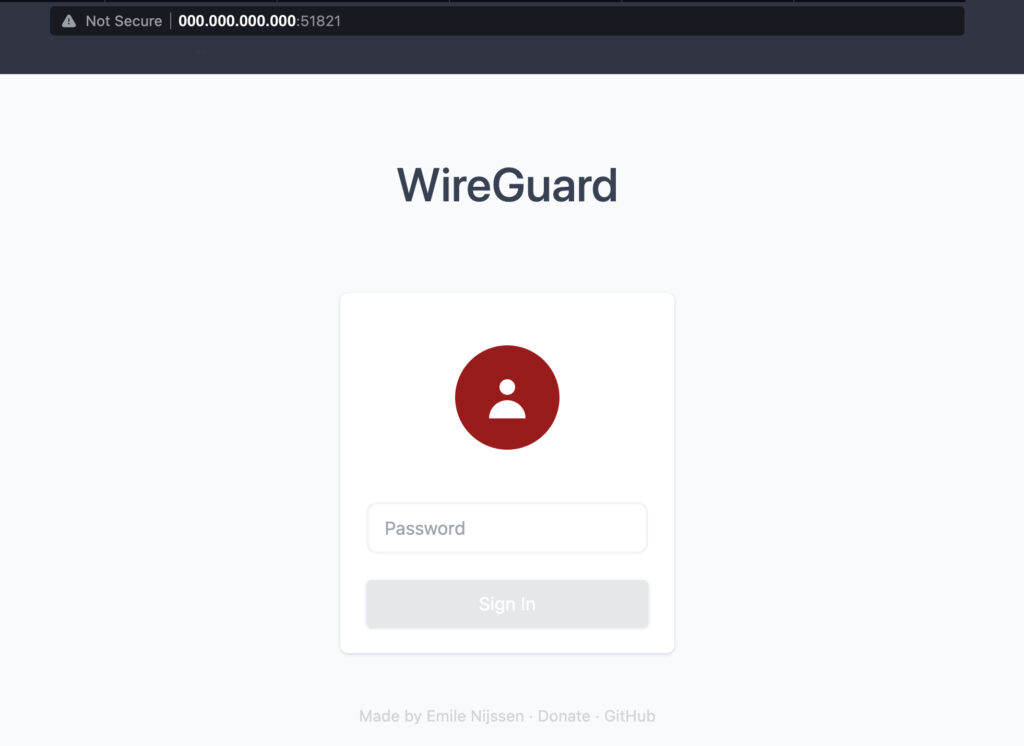
Open your browser and enter “yourIP:51821”. For example – 000.000.000.000:51821.
STEP 7
Enter your password to access the web panel.
STEP 8
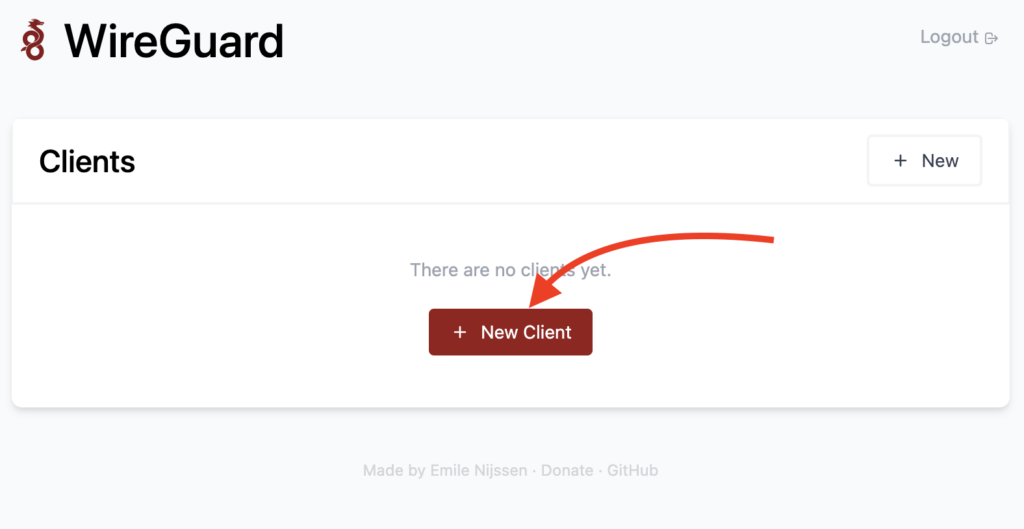
Click the button “New Client” and enter a name.
STEP 9
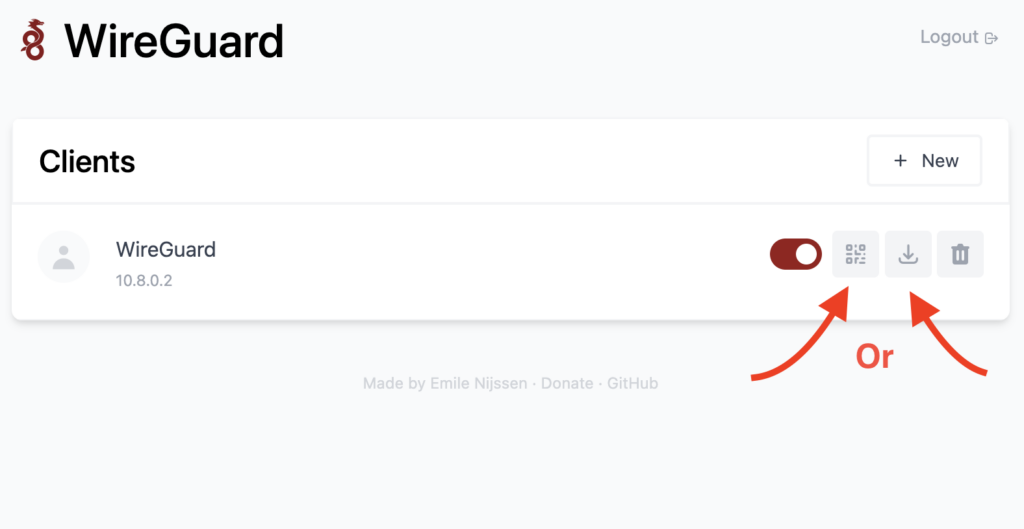
To connect your device, scan the QR code with the WireGuard app or download a .config file and import it into your WireGuard client. Use the official WireGuard client to connect to your server.
P.s: If you want to learn more about installation and configuration, you can check the wg-easy GitHub repository. You can also refer to the official WireGuard documentation.
Related Articles
Browse more articles in these categories.