How to install MikrotikOS
This guide provides step-by-step instructions for installing MikrotikOS and accessing it via console and web interface.
Installation
STEP 1. Go to VMmanager.
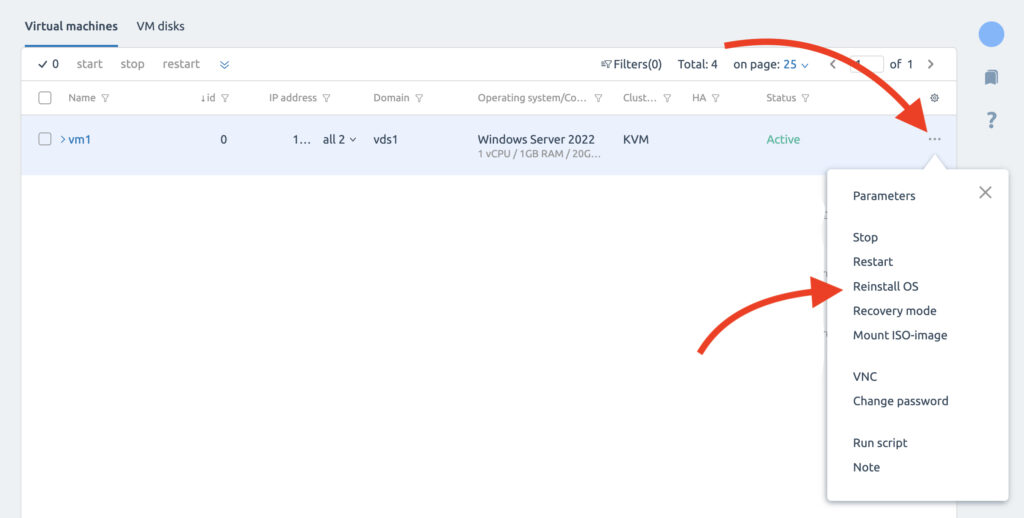
STEP 2. Open the menu of your service and click “Reinstall OS”.
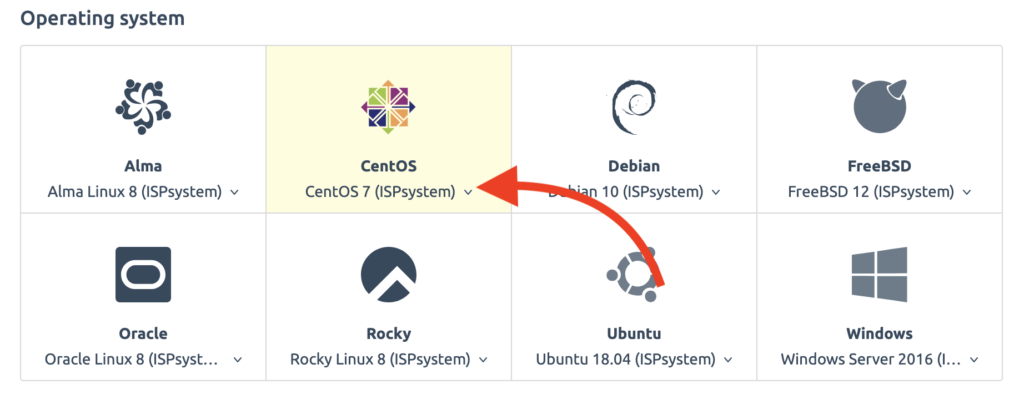
STEP 3. Select CentOS 7.
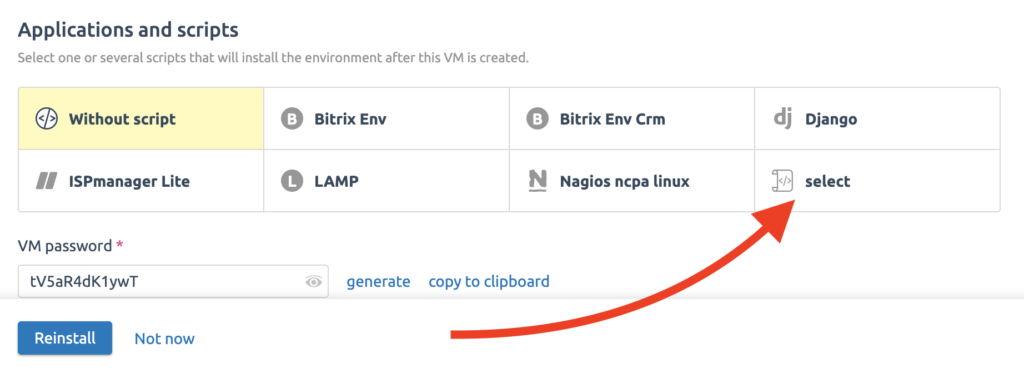
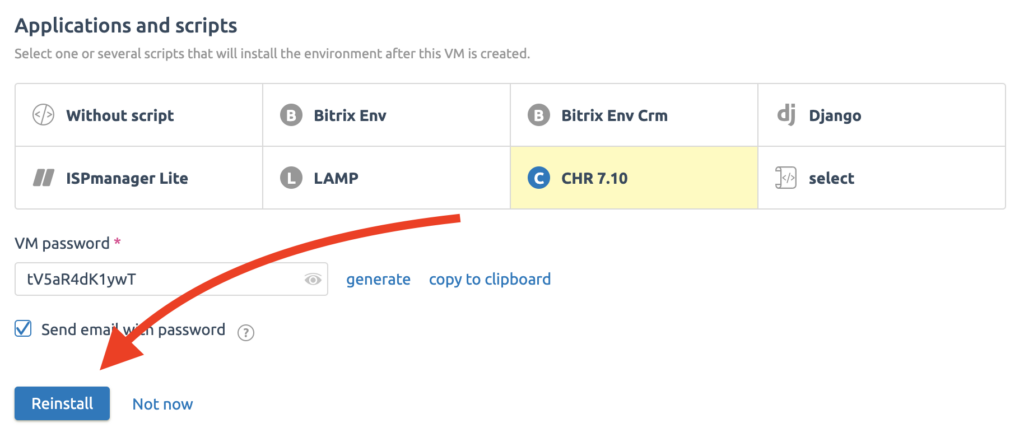
STEP 4. In “Applications and scripts” click on the “select” button.
STEP 5. Select “CHR 7.10”.
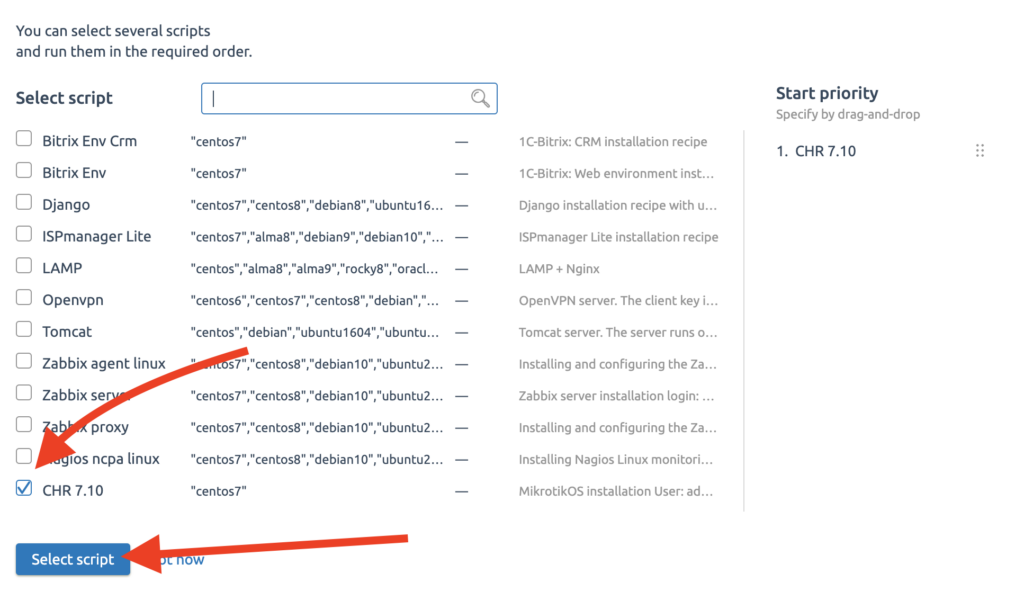
STEP 6. Click the “Reinstall” button and wait for a few minutes.
Accessing with the console
STEP 1. Open your Terminal and write:
ssh admin@"*serverIp*"
example: ssh admin@000.000.000.000
STEP 2. Enter your password. Don’t worry if you don’t see the password when you are typing it; this is a normal feature in Linux. The easiest option is simply to copy the password, paste it into the terminal, and press the “Enter” button.
Accessing with the web-page
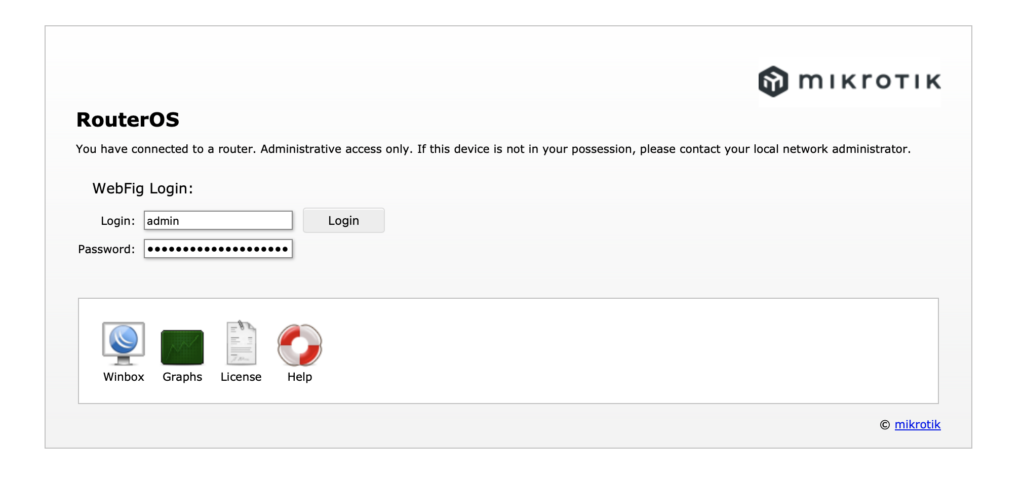
STEP 1. Open your web browser and type in:
http://*your_IP*
STEP 2. Enter your password and click “Login”.
That’s it!
Related Articles
Browse more articles in these categories.