Knowledge Base
How to go to VMmanager
This guide provides step-by-step instructions on how to access VMmanager through the ITLDC portal.
Yaro
vmmanager itldc virtual private servers access guide
How to go to VMmanager
STEP 1: You need to go to my.itldc.com.
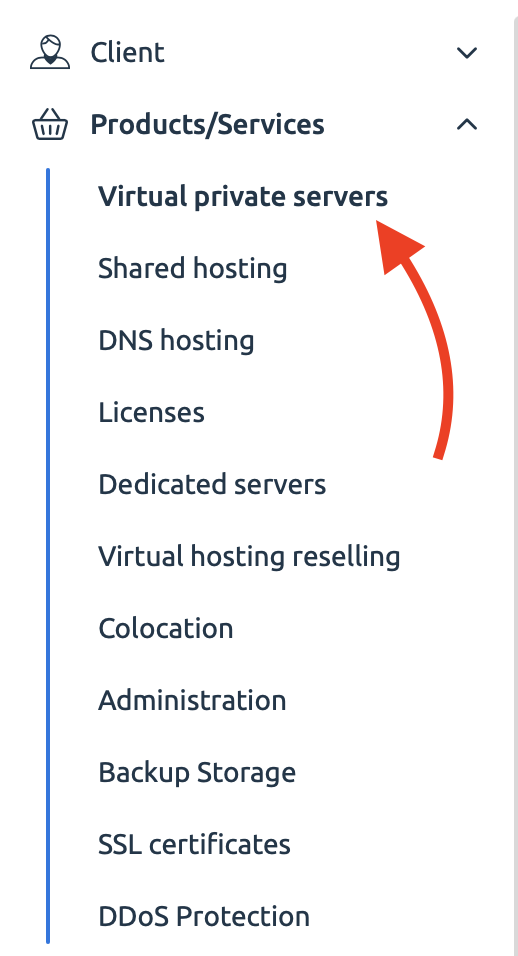
STEP 2: Choose the category “Products/Services” and then click on “Virtual Private Servers” or another service.
STEP 3: Select a needed service.
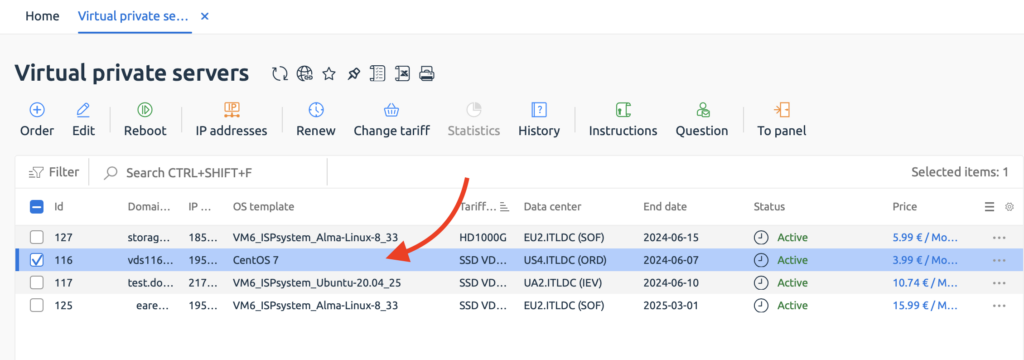
STEP 4: Click on the “To panel” button.

NOTE: You are also receiving a link to VMmanager in your email after the activation of a service.
Related Articles
Browse more articles in these categories.