Knowledge Base
How to fix "Content from the website listed below is being blocked by the Internet Explorer Enchanted Security Configuration".
This guide provides a step-by-step solution to fix the issue of content being blocked by Internet Explorer's Enchanted Security Configuration.
Yaro
internet explorer security settings server manager troubleshooting configurations
How to fix “Content from the website listed below is being blocked by the Internet Explorer Enchanted Security Configuration”
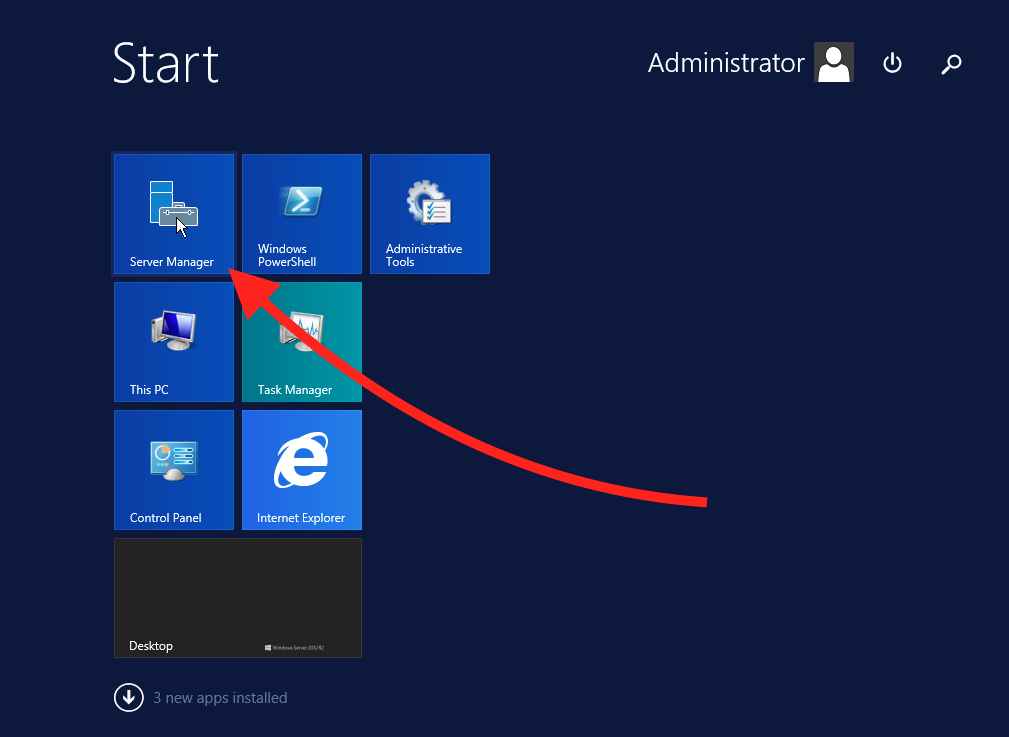
STEP 1: Go to Server Manager. Start > Server Manager.
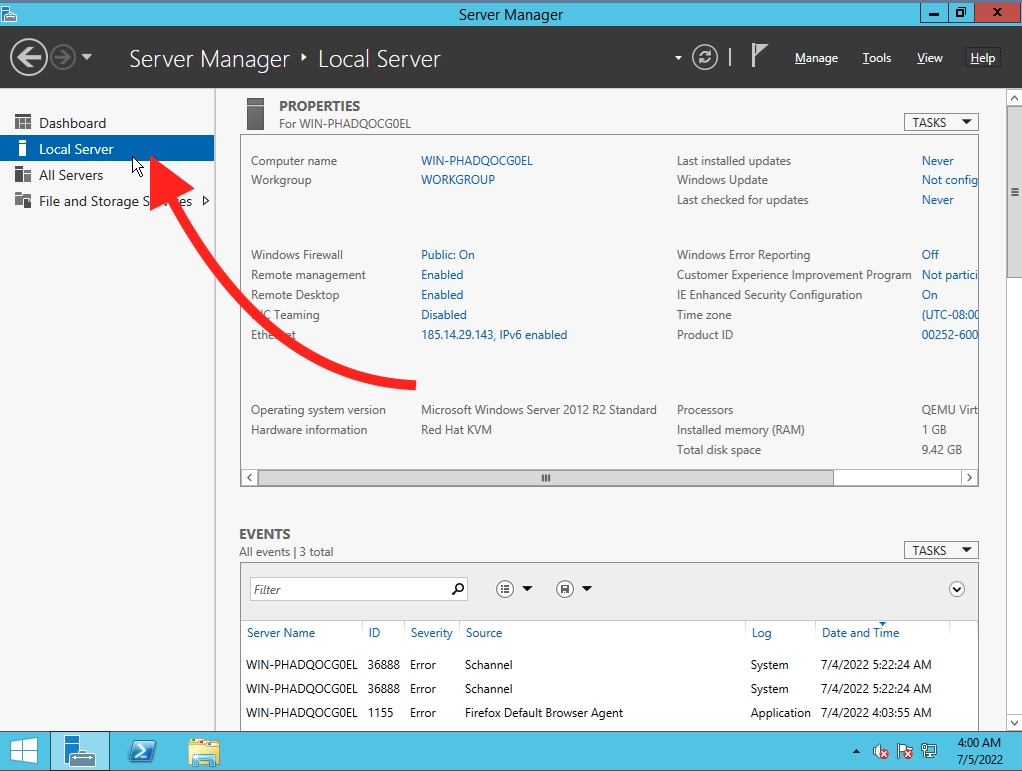
STEP 2: In Server Manager, select Local Server.
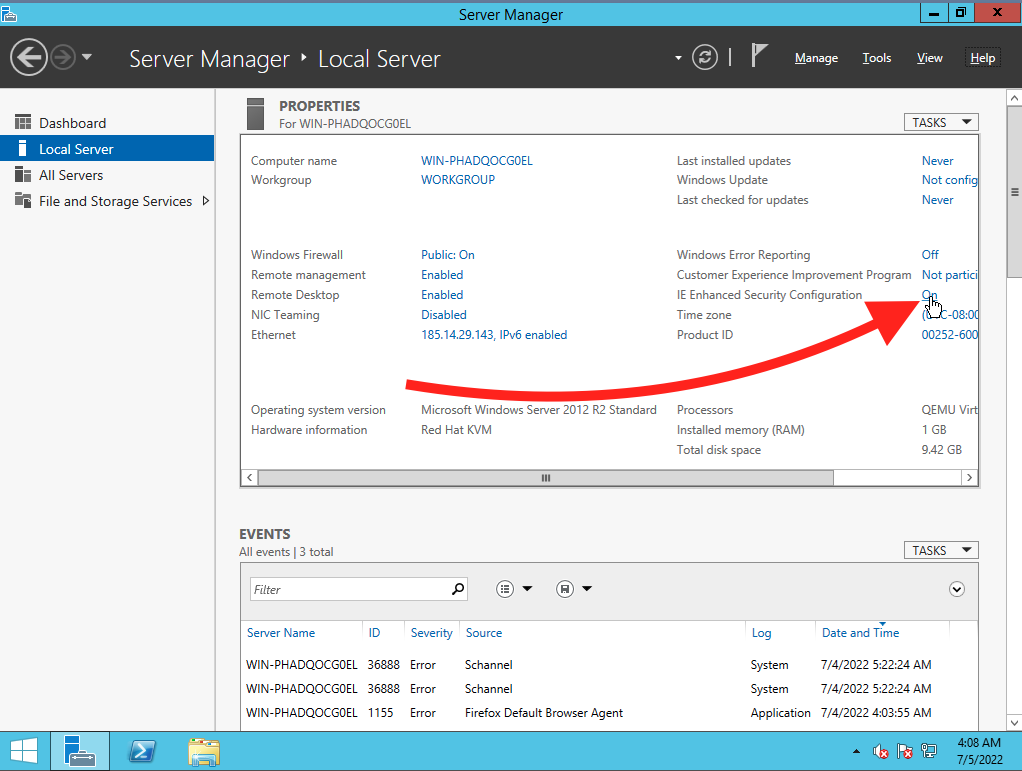
STEP 3: Click on IE Enchanted Security Configuration.
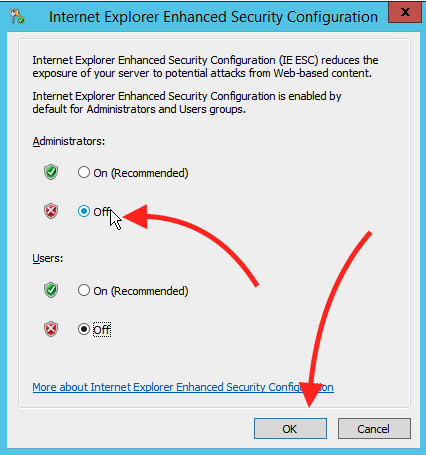
STEP 4: Turn IE Enchanted Security Configuration off and click Ok to save the changes. You won’t see the changes in Server Manager, but they will be applied.
Related Articles
Browse more articles in these categories.