How to disable RD Session Host
This guide explains how to disable Remote Desktop Session Host (RDSH) on a Windows Server trial version due to access limitations.
How to Disable RD Session Host
If you are using a Windows server in the trial version and have activated Remote Desktop Session Host, remote access can be disabled after a set number of days due to trial version limitations. To continue using Remote Desktop, you need to disable RDSH.
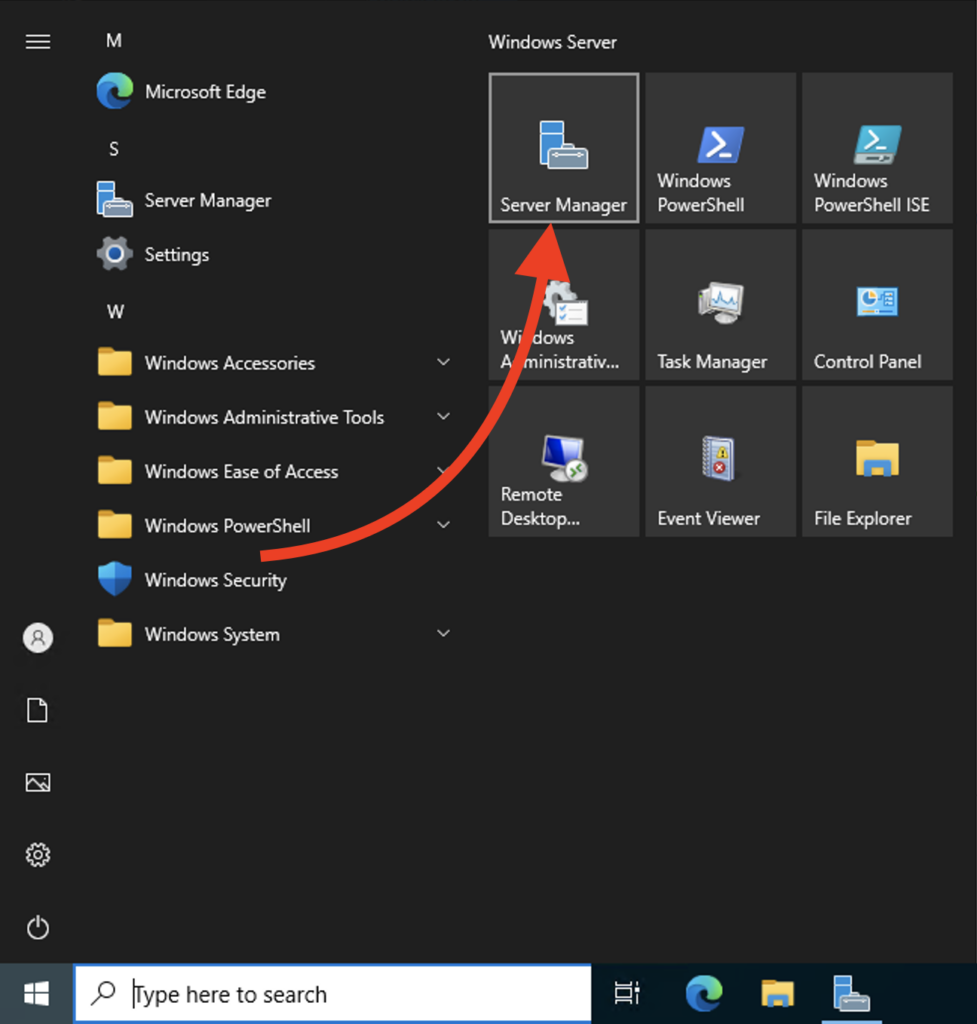
STEP 1. Open Server Manager
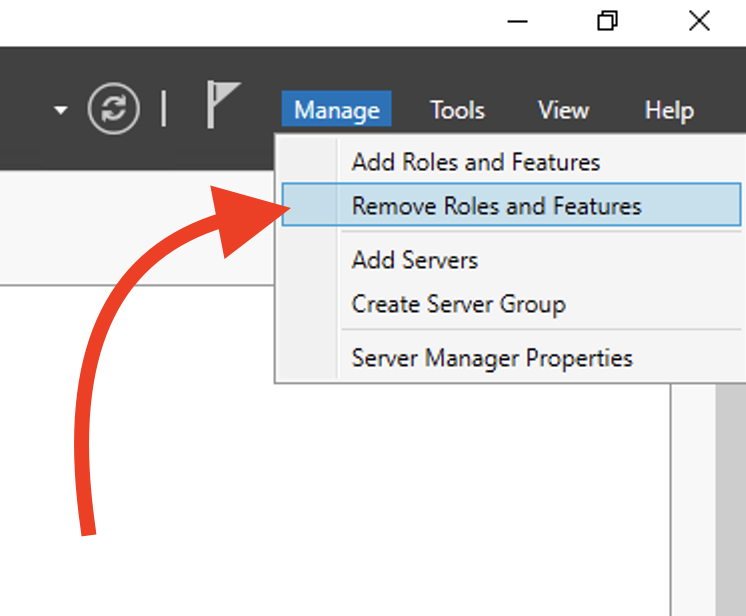
STEP 2. Click Manage and then click Remove Roles and Features.
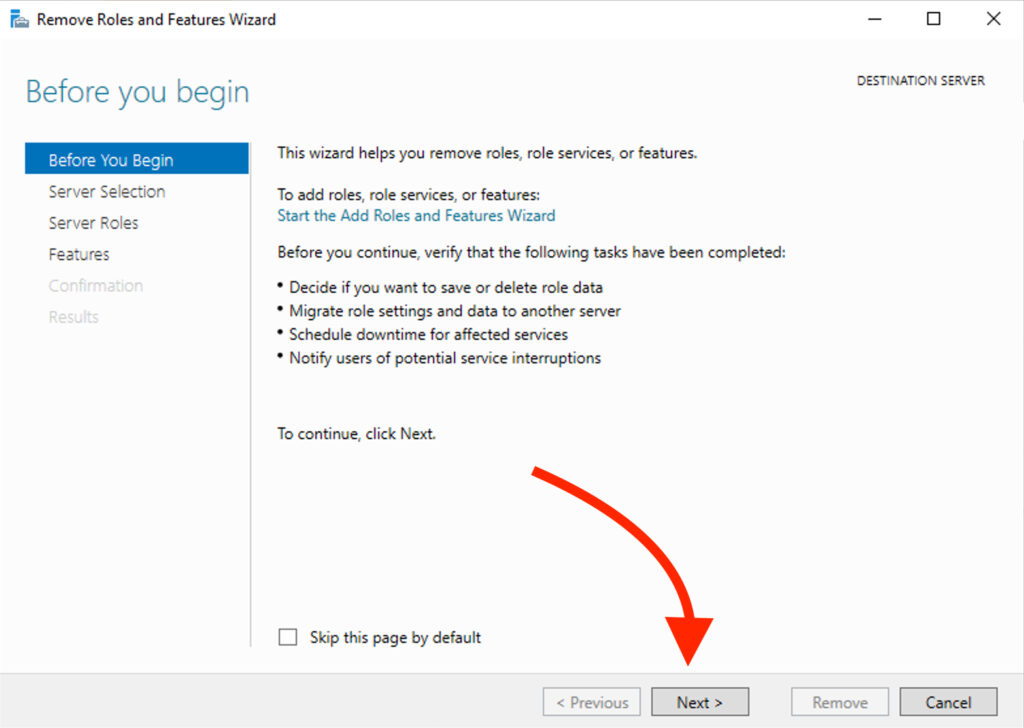
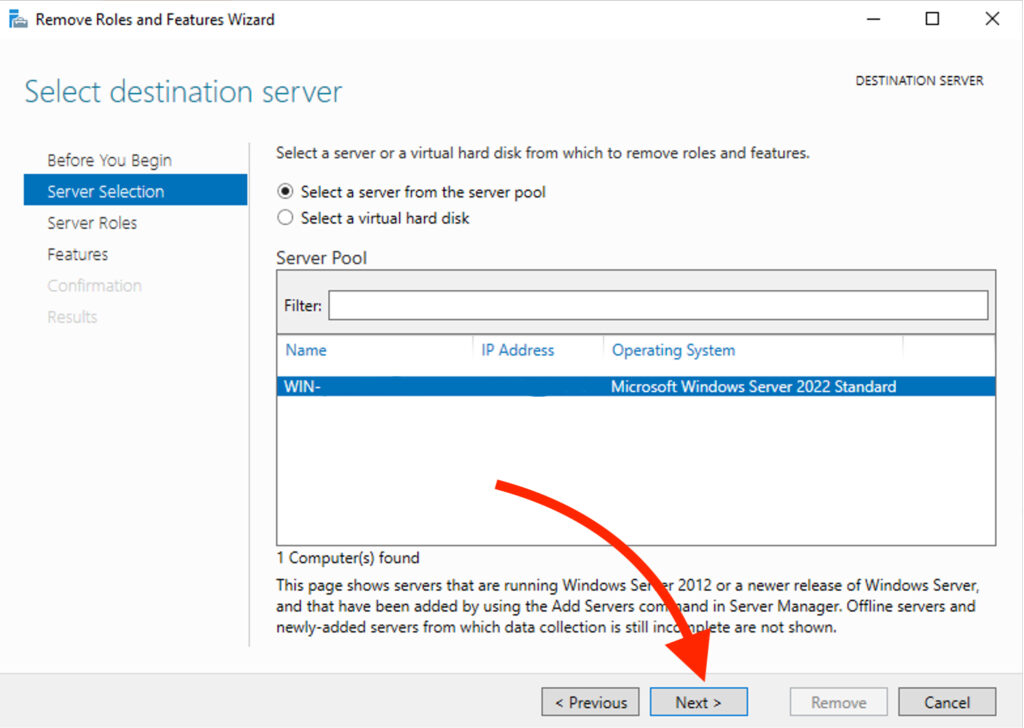
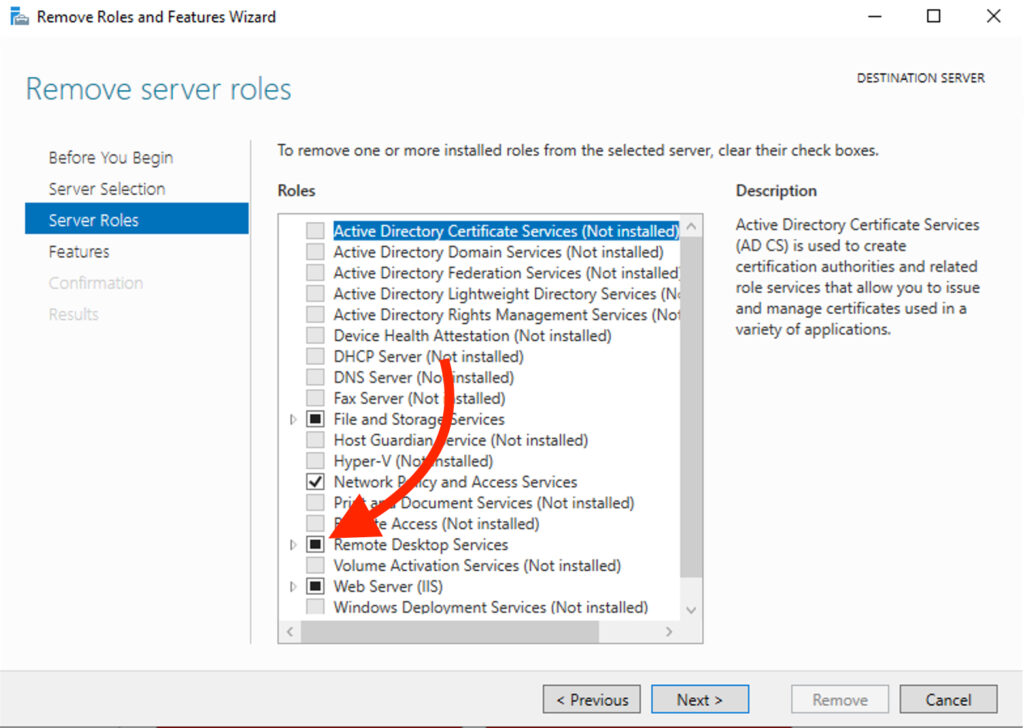
STEP 3. Click Next, then Next again, and uncheck Remote Desktop Services.
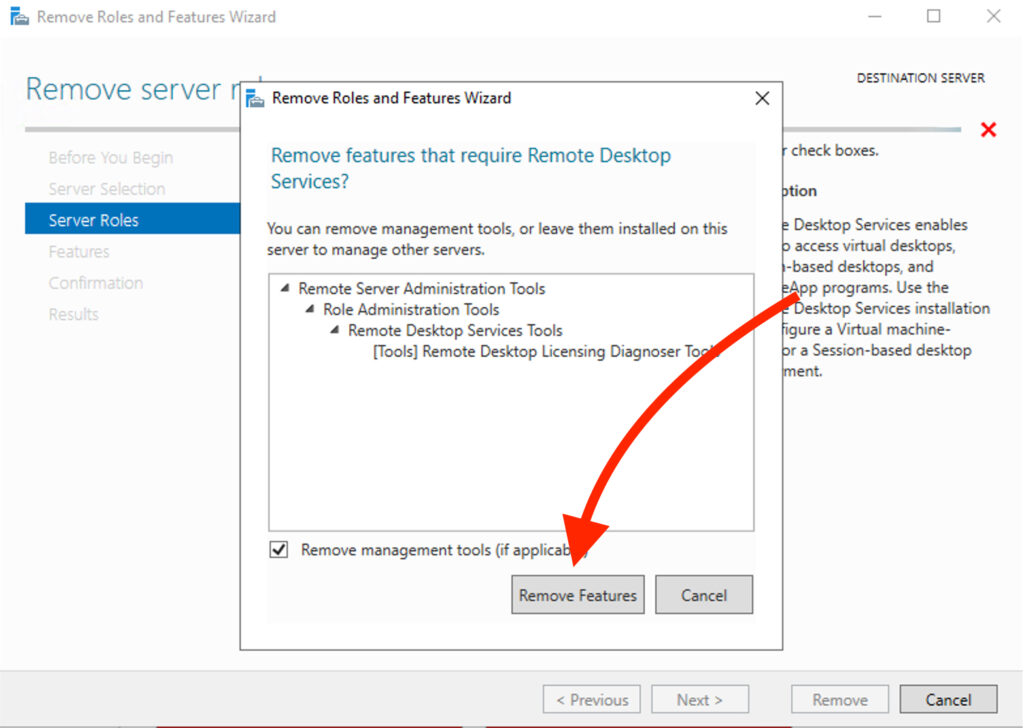
STEP 4. Click Remove Features.
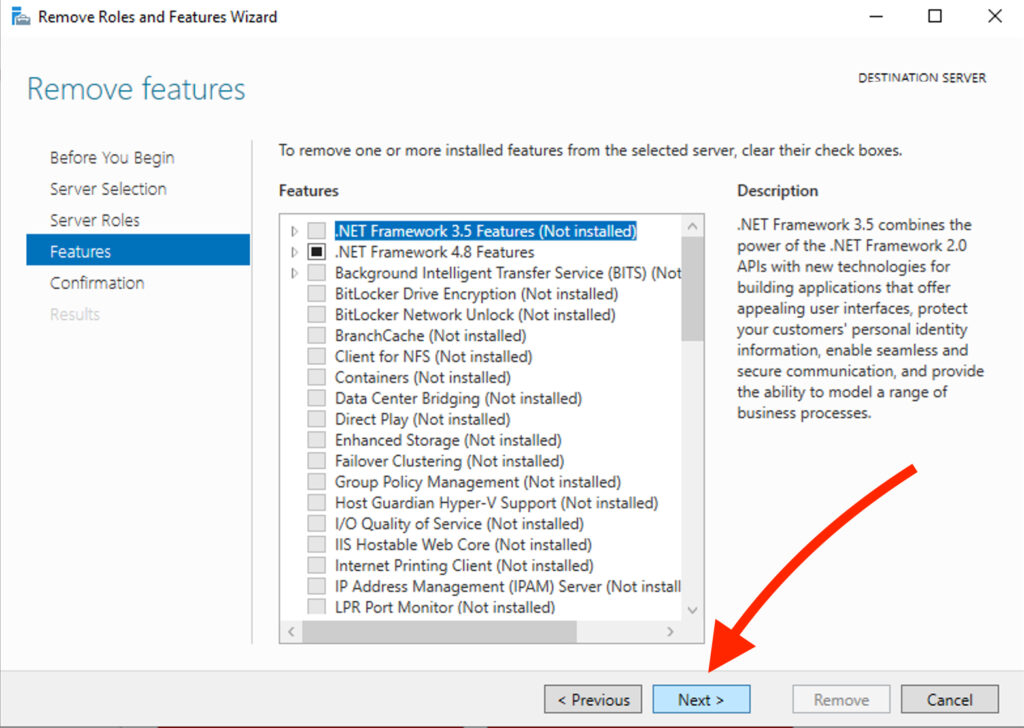
STEP 5. Click Next, followed by Next, and then click Remove.
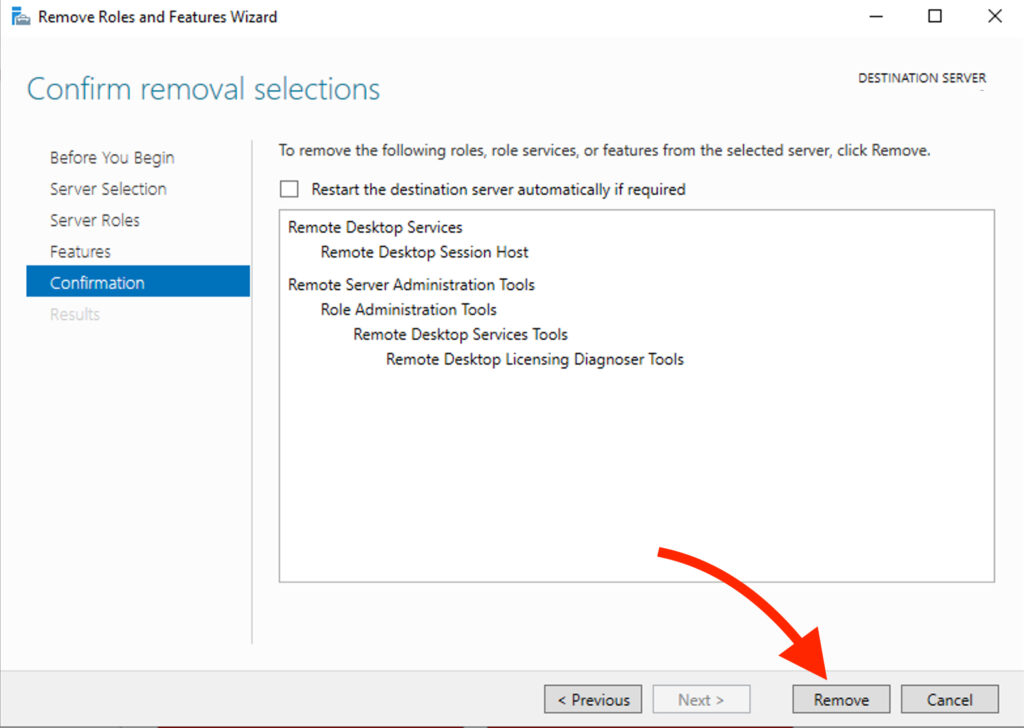
STEP 6. Wait for the services to be removed and restart the server.
Related Articles
Browse more articles in these categories.