Knowledge Base
How to change RDP port in Windows
This guide explains how to change the default RDP port in Windows to enhance security or resolve conflicts.
Yaro
rdp windows port registry remote access networking
Step 1
Connect to your server using an RDP client or VNC console.
Step 2
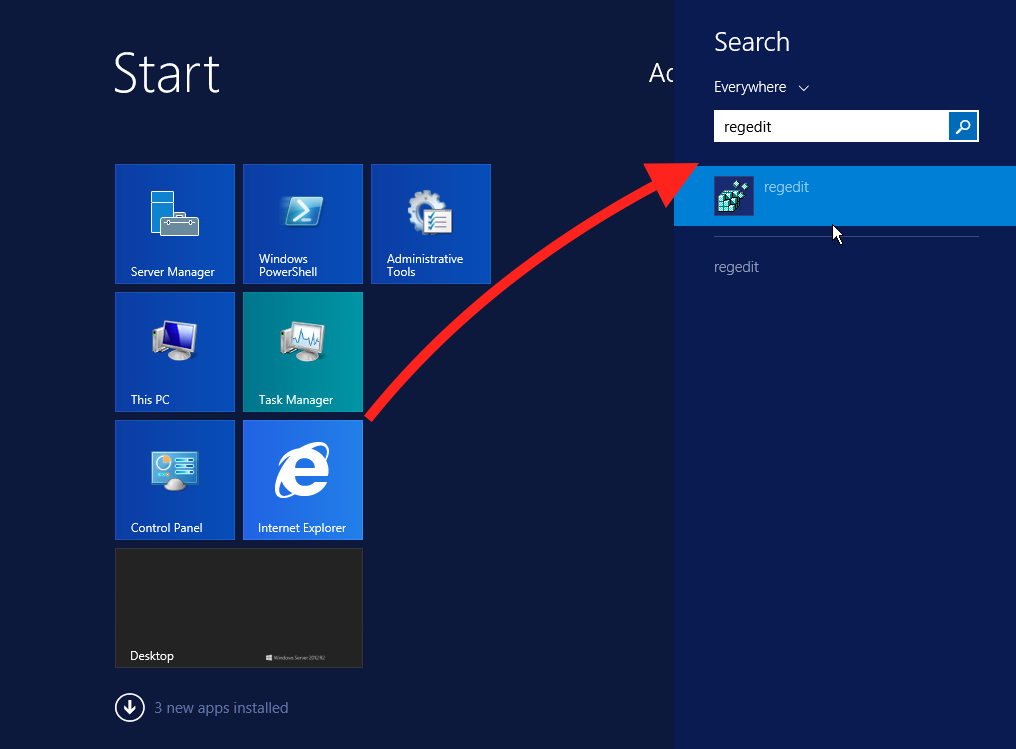
Go to the Start menu and type in search “regedit”.
Step 3
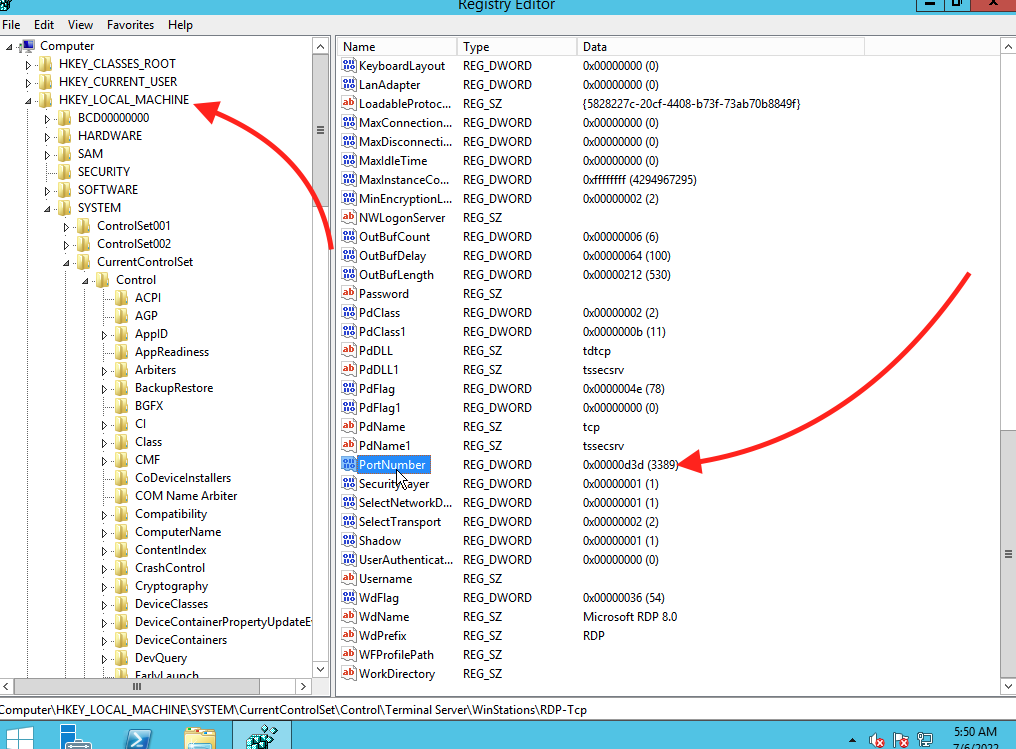
Navigate to HKEY_LOCAL_MACHINE\System\CurrentControlSet\Control\Terminal Server\WinStations\RDP-Tcp.
Step 4
Find “PortNumber”.
Step 5
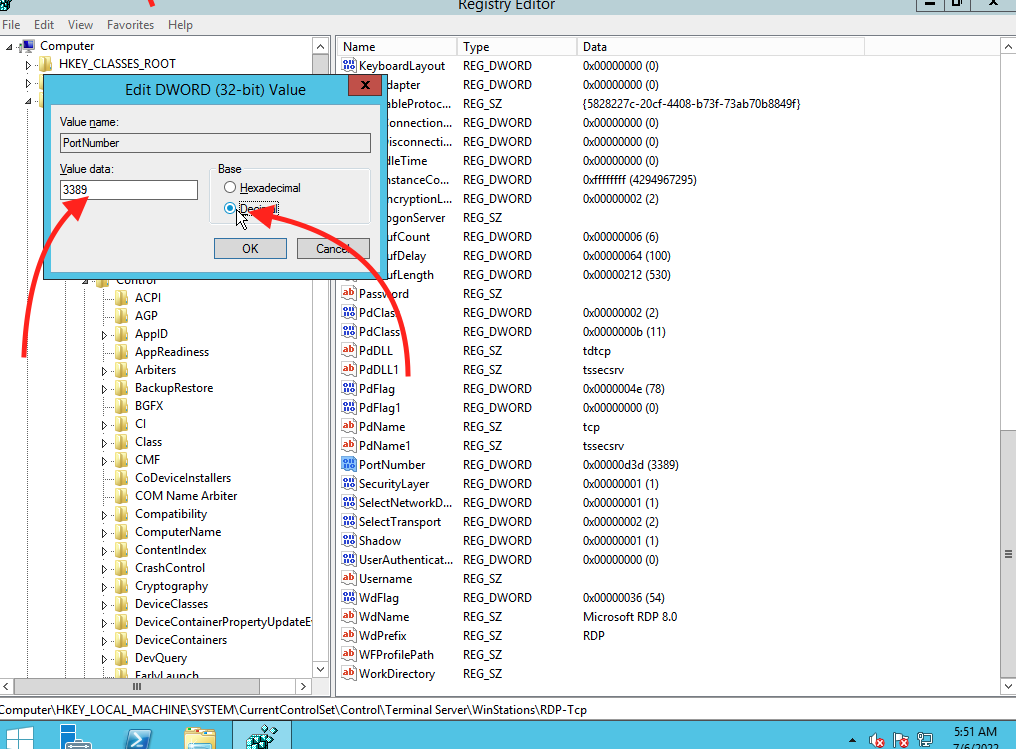
Double-click it.
Step 6
Select Decimal and type the port you want to use (By default, the port is 3389. Max value is 65535.) and click OK.
Step 7
Close the Registry Editor and restart your VDS.
Note: If you are using a firewall, configure it to permit a connection to the new port.
Related Articles
Browse more articles in these categories.