Knowledge Base
Extend a basic volume on Windows Server.
This guide provides step-by-step instructions on how to extend a basic volume on Windows Server.
Yaro
windows server disk management extend volume system administration storage management
Extend a Basic Volume on Windows Server
STEP 1: Connect to your service using RDP client or VNC console. Login as an Administrator.
STEP 2: Go to the start menu and click on the search button.
STEP 3: Enter: Computer Management and click it.
STEP 4: Click on Disk Management.
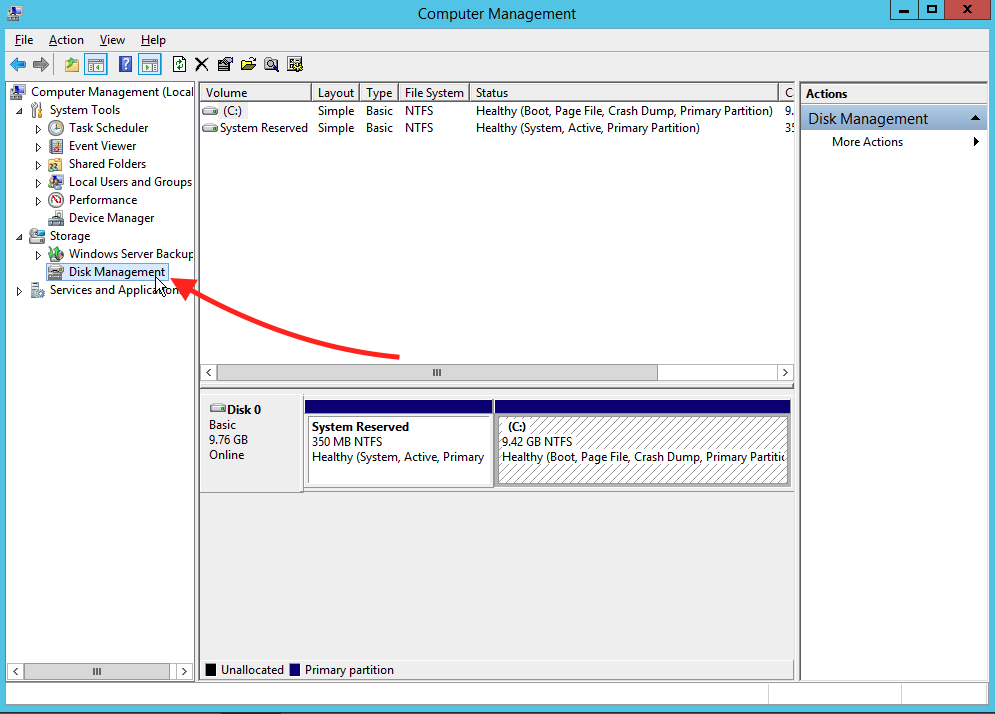
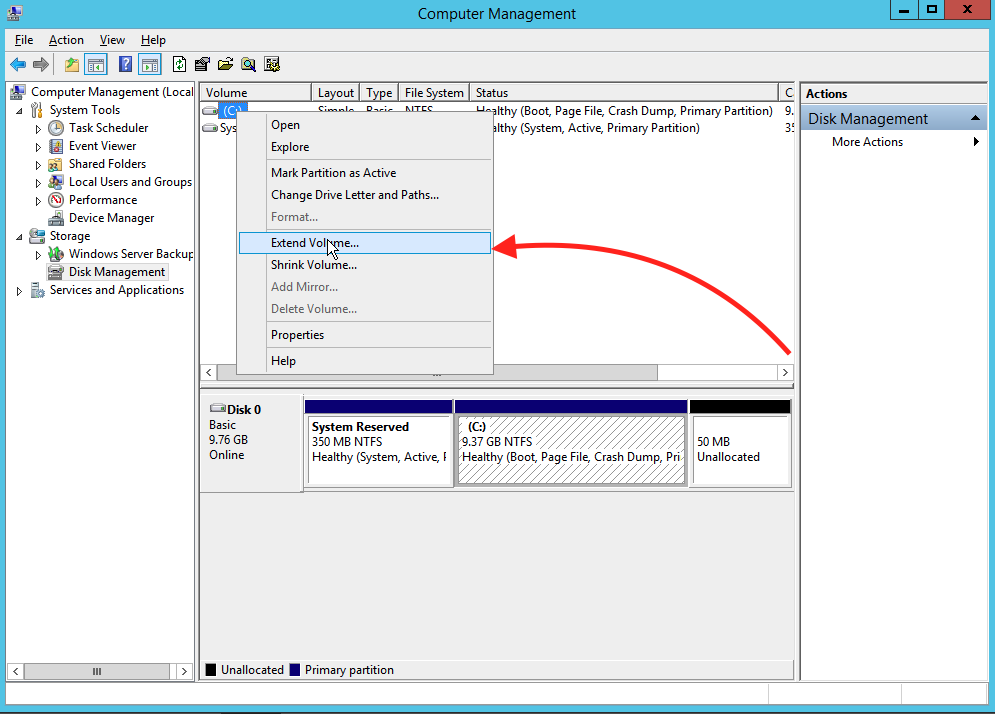
STEP 5: Click Extend Volume….
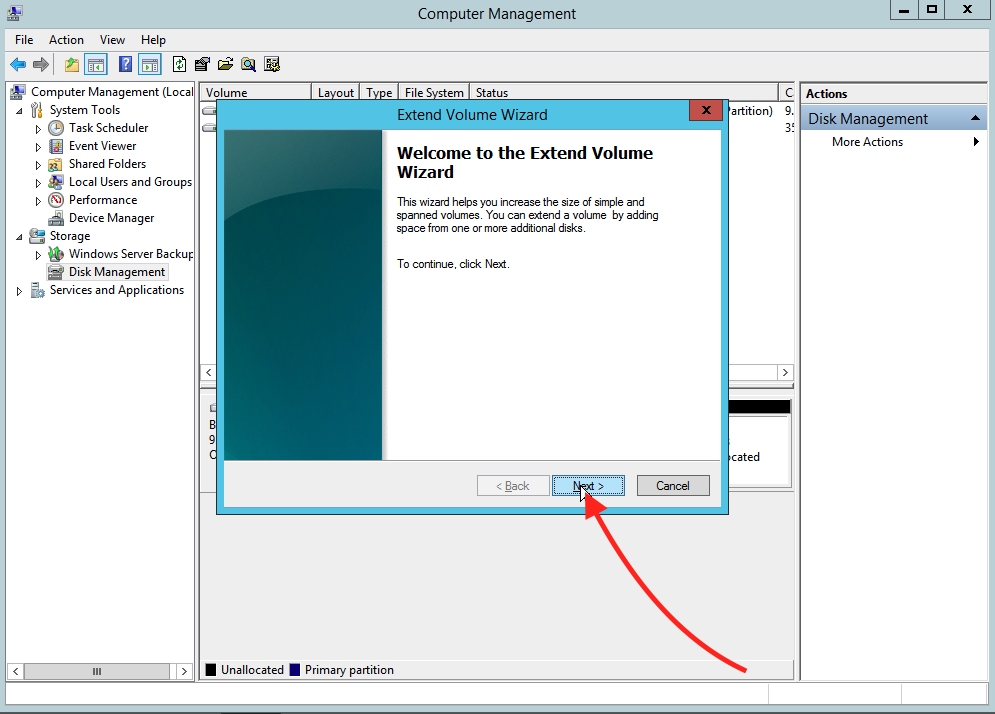
STEP 6: Click Next.
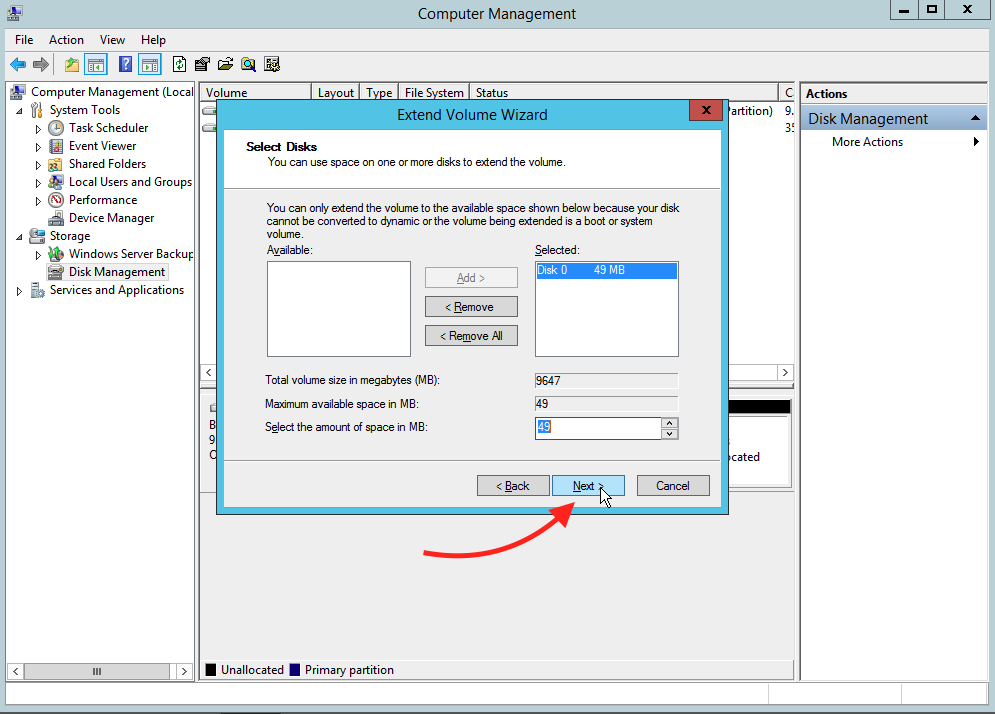
STEP 7: Type the amount of MB that you need and click Next.
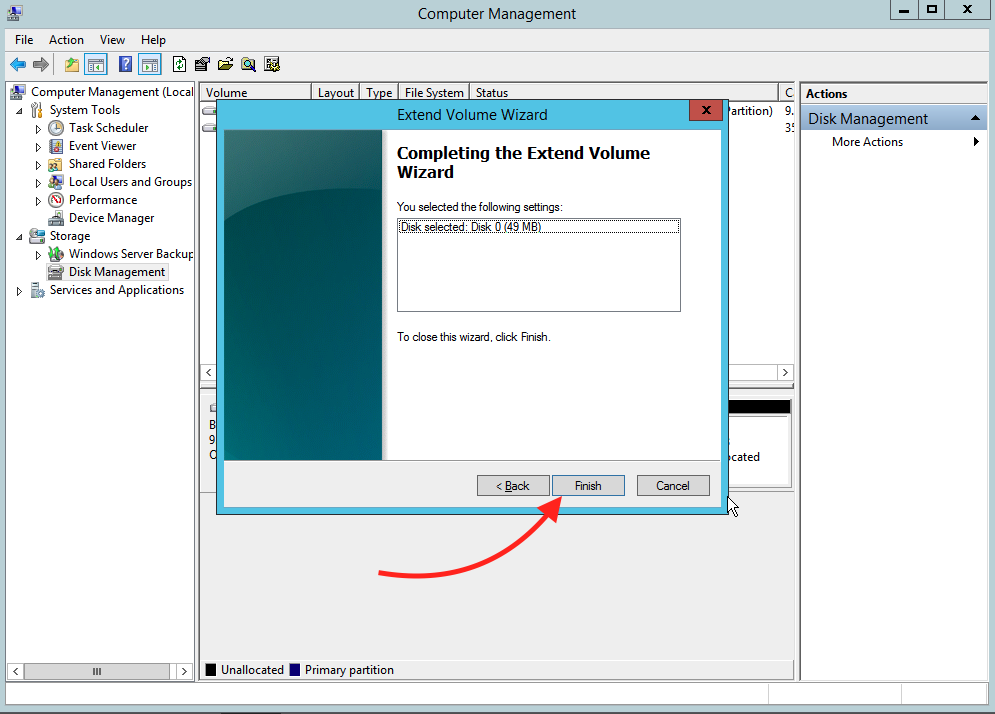
STEP 8: Click Finish.
Related Articles
Browse more articles in these categories.