ZPanel — Free Hosting Control Panel
ZPanel is a free hosting control panel that simplifies server management with essential features like domain management, FTP, and database handling.
ZPanel — Free Hosting Control Panel
Previously, we have examined several free server management panels that successfully compete with commercial solutions. Today, we are testing another popular control panel — ZPanel version 10.1.1.
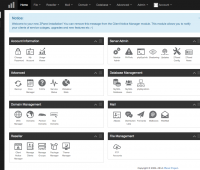
ZPanel is focused on hosting applications and has all the necessary features for this:
- Support for Apache + PHP
- Multi-level user and reseller system
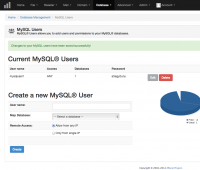
- Database management
- Integrated phpMyAdmin
- Email and redirect support
- Domain name management system
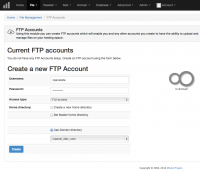
- FTP account management
- Service profiles (packages) with limits
- Backup creation
- Support for cron jobs
- Server load monitoring
The latest version of ZPanel supports all major UNIX distributions and can be easily installed on CentOS, Ubuntu, FreeBSD, and Mac OS. Notably, the functionality of the panel can be extended with the help of modules.
Installation Steps
The installation of the panel is very simple. First, let’s order an SSD VDS with CentOS in any desired location. The installation of the VDS is quick, and literally within a few minutes an email will arrive with access parameters. We will use any SSH client to connect to our server and start by updating the system:
yum -y update
Next, we will proceed to install ZPanel by executing the following commands:
wget https://raw.github.com/zpanel/installers/master/install/CentOS-6_4/10_1_1.sh
bash ./10_1_1.sh
The installation script will ask several questions about the server’s location (to set the time zone) and the name under which the panel will be accessible.
After Installation
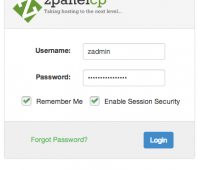
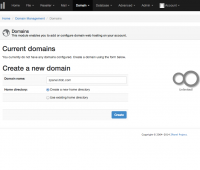
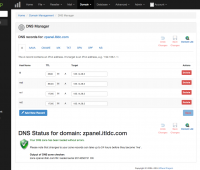
After rebooting the server, you can start using ZPanel — simply enter the IP address of the VDS or a dedicated server where we installed the panel in your favorite web browser. First, change the passwords, and then you can create service packages, users, and resellers, and host domain names and websites.
Need Help?
Our support team is available 24/7 to assist you with any questions or issues.
Contact Support