Own Cloud Storage - ownCloud
OwnCloud is a feature-rich personal cloud storage solution that gives users full control over their data and offers synchronization across various devices.
What is ownCloud?
ownCloud is a personal cloud storage solution, similar to Google Drive or Dropbox, but stands out by offering features beyond simple file storage. It includes:
- Synchronization of calendars on all devices
- Contact storage
- Photo archive
- Personal file storage
- Synchronization with other cloud storages — DropBox, Swift, Google Docs, Amazon S3
- Built-in PDF viewer
- Music player
A complete list of ownCloud’s features is available on the official project website — owncloud.org.
Installing ownCloud
Traditionally, you can start with an SSD VDS or dedicated server based on your data storage needs. We will use Ubuntu as the operating system, but feel free to experiment with others.
Apache, PHP, MySQL
To install the essential components, execute:
apt-get install lamp-server^
During MySQL installation, specify the administrator password. Use a password generator for a strong password and keep it secure.
Next, install additional PHP modules and utilities with:
apt-get install smbclient curl libcurl3 php5-gd php-xml-parser php5-intl php5-curl
Configuring Apache
Enable the necessary modules:
a2enmod rewrite
a2enmod headers
Edit the web server configuration file at /etc/apache2/sites-available/default to allow .htaccess processing:
<Directory /var/www/>
    Options Indexes FollowSymLinks MultiViews
    AllowOverride All
    Order allow,deny
    allow from all
</Directory>
Restart Apache:
service apache2 restart
Configuring MySQL
Create a database and a user for ownCloud with:
mysql -uroot -p
Then run:
CREATE DATABASE owncloud;
GRANT ALL ON owncloud.* TO 'owncloud'@'localhost' IDENTIFIED BY 'sEcReTpA$sv0rd';
FLUSH PRIVILEGES;
QUIT;
Installing ownCloud
Finally, install ownCloud:
cd /var/www
wget -O - http://download.owncloud.org/community/owncloud-latest.tar.bz2 | tar -xjf -
chown -R www-data:www-data owncloud
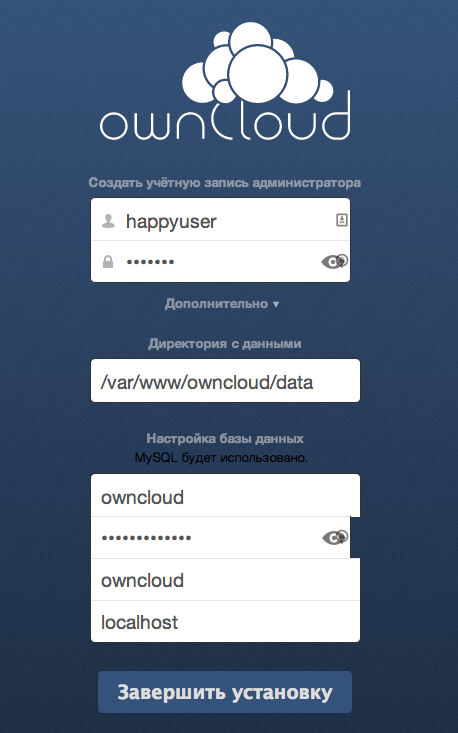
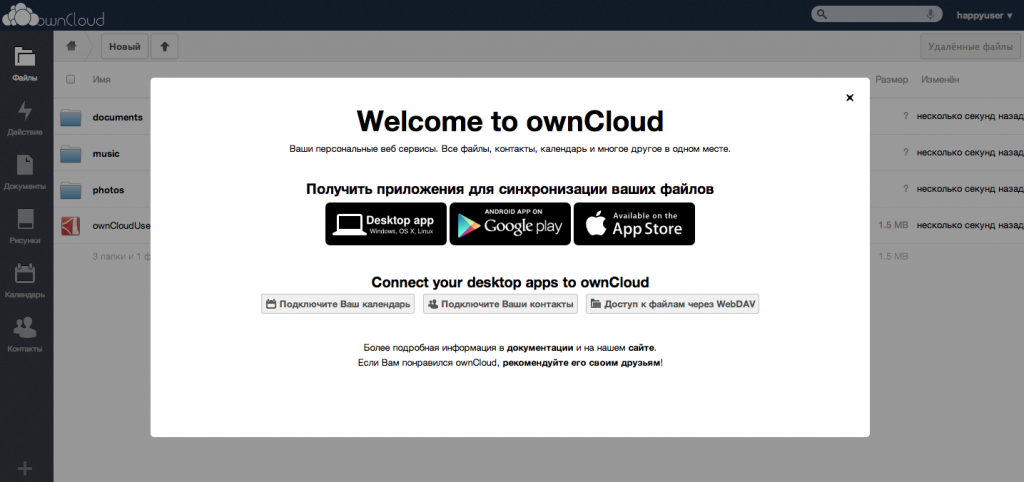
Navigate to http://ip-address-of-server/owncloud/ in your web browser. Set your admin login-password and database parameters to complete the installation. Enjoy your homemade cloud solution:
Need Help?
Our support team is available 24/7 to assist you with any questions or issues.
Contact Support