Ajenti V — Free Control Panel with Great Capabilities
Ajenti V is a modern and flexible control panel for managing Linux servers, offering support for various technologies and an intuitive interface.
Ajenti V — Free Control Panel with Great Capabilities
Ajenti is not only one of the most beautiful server management panels. Besides its visual aspect, this panel has several very interesting technical features.
Originally, Ajenti was developed as a tool for convenient management of Linux server components — working with NFS, users, network and firewall settings, and the file system. In October 2013, the developers announced the start of beta testing for an extension of this panel — Ajenti V. This module adds website management features to Ajenti.
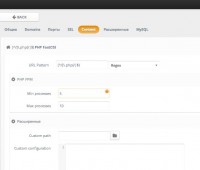
A key feature of Ajenti V is the abandonment of Apache as the web server — the choice is made in favor of the lighter and faster NGINX. Moreover, Ajenti V can be used not only for hosting sites that use traditional PHP; the panel supports various technologies — Node.js, Ruby on Rails, Python.
The installation of the panel is relatively simple, but it is highly recommended that the user has certain knowledge regarding the interaction of various system elements — Ajenti allows for accurate fine-tuning of the configuration of the applications used. Note that such “freedoms” with fine-tuning are usually difficult with many other control panels, while in Ajenti such actions are possible.
The panel installation is performed using a regular package manager and consists of several steps. Firstly, let’s order, for example, an SSD VDS with the Debian operating system. After installation, we will use SSH to connect and install the Ajenti core:
wget -O- https://raw.github.com/Eugeny/ajenti/master/scripts/install-debian.sh | sh
The next step is to install the necessary modules. A typical set for a traditional PHP website can be installed with the following command:
apt-get install ajenti-v ajenti-v-nginx ajenti-v-mysql ajenti-v-php-fpm
service ajenti restart
As of today, Ajenti V supports the following modules:
- ajenti-v-mail (Mail system based on Exim and Courier POP3/IMAP)
- ajenti-v-mysql (Support for MySQL DBMS)
- ajenti-v-php-fpm (Support for PHP in FastCGI mode based on PHP-FPM)
- ajenti-v-ruby-unicorn (Ruby on Rails using Unicorn)
- ajenti-v-ruby-puma (Ruby on Rails using Puma)
- ajenti-v-ftp-vsftpd (Management of FTP server based on vsftpd)
- ajenti-v-nginx (Web server NGINX)
- ajenti-v-python-gunicorn (Support for Python WSGI)
- ajenti-v-nodejs (Support for Node.js)
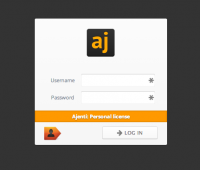
After installation, the panel is available at https://IP:8000/. To log in, use the username root and the password admin. Immediately after authorization, you can change the interface language through the “Settings” menu. The next step is to change the user password to something more complex, and then you can start configuring the server.
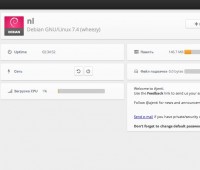
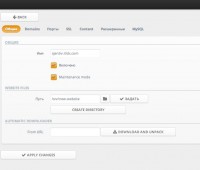
All options related to websites are located in the “Websites” menu — here you can create a virtual web server and specify the necessary parameters — enable support for PHP or other languages. As an instruction, you can use a brief description on the official Ajenti website — Setting up a PHP website with Ajenti V (WordPress example).
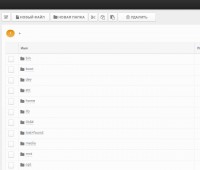
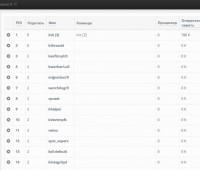
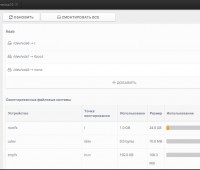
Also, note that the panel supports many server applications — with Ajenti, you can manage OpenVPN, PostgreSQL, DNS, DHCP, there is a built-in file manager and even shell access.
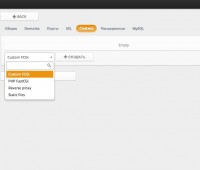

Overall, Ajenti makes a stable and convenient tool for full management of a Linux system via a web browser. With support for a multitude of web technologies and fine-tuning options, this panel stands out among traditional solutions. Recommended!
Need Help?
Our support team is available 24/7 to assist you with any questions or issues.
Contact Support